TL;DR
The Shopify Search & Discovery app is a free official tool included with Shopify plans that lets you customize search and product recommendations in your online store. It can work well for small stores with simple product catalogs, but hits limits as it doesn’t talk to your retail data. If search underperforms, fix your setup first. If the same searches keep failing after that, you likely need a more advanced e-commerce search platform that takes things like stock levels and personalization into account.
When shoppers using Shopify’s Search & Discovery app search and get poor results, it’s hard to tell why. Sometimes the cause is product data you can fix, like a missing color value or a vague product title. But sometimes it’s how the app’s AI search ranks products, which only Shopify controls.
This practical guide walks Shopify merchants through common setup problems to check first, then shows you how to tell when you’ve reached the app’s limits. You’ll learn how to use your search reports to find problem queries and how to compare other search tools against your own catalog before deciding whether to switch.
What the Shopify Search & Discovery app does well and when it’s enough
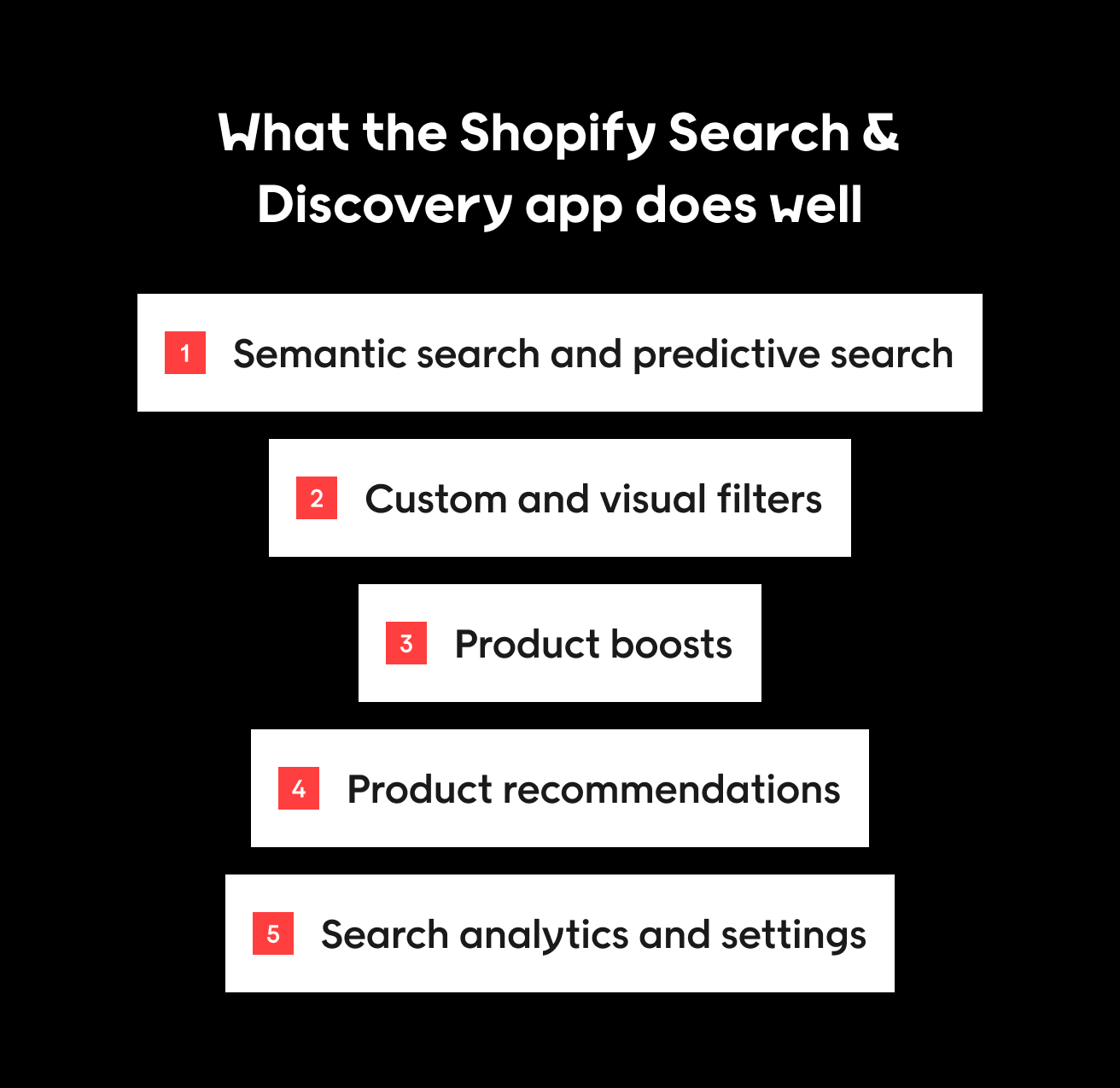
Even though Shopify Search & Discovery is free, it has a solid set of e-commerce features, including:
- Semantic search, predictive search, and typo tolerance
- Custom and visual filters built on Shopify’s product taxonomy
- Product boosts
- Automatic and manual product recommendations
- Search analytics and settings that control where out-of-stock products appear
For online stores with fairly small product catalogs, selling in one or two markets and with light merchandising needs, Shopify Search & Discovery is likely all you need.
But, as with any search tool, how well it works depends on how clean your product attributes are. For example, if half of a shop’s dresses have the material filled in and the other half don’t, no search solution is going to get shoppers the most accurate results.
If your store fits that description but Shopify Search & Discovery isn’t working as you’d expect, start by checking your setup before looking into other tools.
How to fix common Shopify Search & Discovery setup issues
Some issues with the Shopify Search & Discovery app come from product data and settings, which you can fix fairly easily. Check for these three common problem areas first.
Clean up product data and filters
Shopify’s search matches what shoppers type against your product data, so start by making that data complete and consistent. Semantic search reads your titles, descriptions, product types, categories, and tags to find related terms.
Filters don’t make those connections. They group products by exact values, so a color filter that lists “navy” and “dark blue” separately splits one color across two options. Pick one name for each color or size and use it on every product, and put each product in one clear category.
The app no longer lets you add synonyms manually, so the alternative words shoppers might use also have to be in your product data. Add regional terms as tags, such as “trainers” on products titled “sneakers,” and check that product names are translated into every language you sell in.
Once your data is in shape, use the app’s settings to control what shoppers see. Build custom filters for the attributes people narrow by, and use product boosts to lift the right products for your most common searches. Each boost can take up to 10 search terms per product.
Audit your search analytics
Shopify’s search reports show which searches fail, so use them to decide what to fix first. Start with searches that return no results and searches where shoppers don’t click anything. Then check your top searches to make sure the most common ones return the right products.
Shopify’s reports don’t show which searches lead to a sale, or which search pages shoppers leave from. To see that, you need to add a third-party analytics tool or set up site search tracking in Google Analytics 4.
When you have that information, look for popular searches that get clicks but few purchases. Run each one and check the top results. Often the first products are sold out in most sizes, or they’re close to what the shopper wanted without quite matching it. Move out-of-stock products to the end of results in the app’s search settings, and boost the products that sell.
Test your filters on mobile
Filter problems that look minor on desktop can stop a shopper on a small screen. Run your top 10 searches on a phone, not on the device mode in your desktop browser, because it doesn’t show you real tap targets or scrolling. For each search, count the taps it takes to reach a product you’d buy, and note how long the results take to load.
Look for filters that get in the way. If the options people use most sit below ones they rarely touch, reorder them in the app so the useful filters come first, and remove the ones nobody uses. If the page reloads after every tap, check your theme’s filter settings, since that behavior comes from the theme.
Keep a note of any searches that still fail after these fixes. If you opt to look for a different search solution, you’ll have a clear starting point for the problems a new tool has to solve.
4 signs you’ve outgrown the Shopify Search & Discovery app
If you’ve fixed your product data and adjusted your search settings but shoppers still struggle to find the right products, you may be running into Shopify’s native limitations.
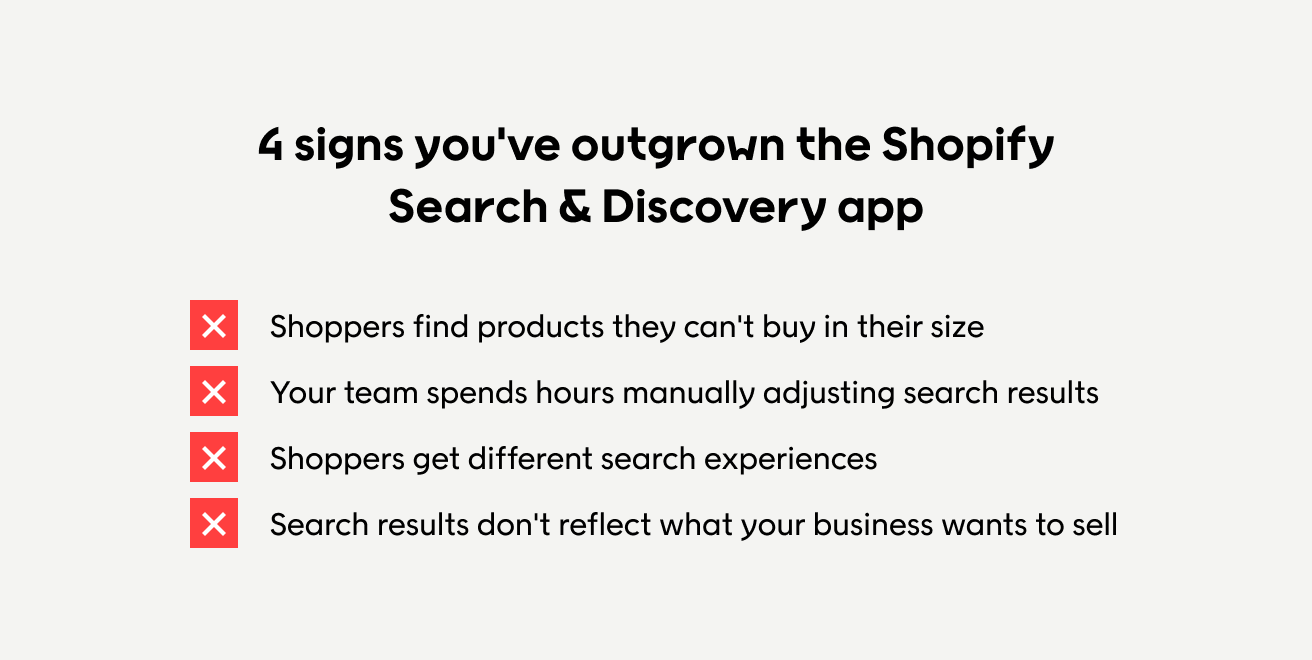
These limitations usually come down to missing retail context rather than anything you can solve yourself. The app can’t speak to your systems to see things like stock levels or margin, and merchandisers are limited in how much they can control. If these problems keep cropping up, it might be time for a different e-commerce search solution.
1. Shoppers find products they can’t buy in their size
You might have plenty of stock overall, but that doesn’t mean you have the sizes shoppers want. Shopify site search counts a product as in stock as long as one variant is available. So a best-selling trainer with only size 12 left can still rank first, even if most of your customers need a different size.
2. Your team spends hours manually adjusting search results
If someone on your team regularly boosts products and reorders collections to keep results relevant, you’re doing work that a search tool should help automate.
The Shopify search app no longer offers manual synonyms, so boosts are the main way to change which products appear for specific searches. Collection pages are sorted separately from search, so campaign products and new arrivals also need to be placed manually in each collection.
3. Shoppers get different search experiences depending on their market
If you sell in multiple countries, you might want to promote different products or show different filters in each market.
Shopify Search & Discovery doesn’t let you configure boosts and search settings separately for each market. A winter coat you boost for a Swedish campaign will also be boosted in the UK. There are also limitations with filters: the price filter disappears when shoppers switch currency, and tag filters only appear in your default language.
4. Search results don’t reflect what your business wants to sell
Relevance is important, but it isn’t always the only factor in deciding which products should rank first. You might want to give new arrivals more visibility or prioritize sale items you need to shift.
Shopify ranks results by relevance and doesn’t let you add these business priorities to its ranking logic. You can boost individual products for specific search terms, but you’d need to do this across products and queries to influence results more broadly.
How to compare Shopify search alternatives
A dedicated search tool might offer features the Shopify merchandising app doesn’t, but that doesn’t automatically mean it will give shoppers better results when they use your search bar. Follow these steps to make sure any alternative has the capabilities you need and is worth the cost of switching.
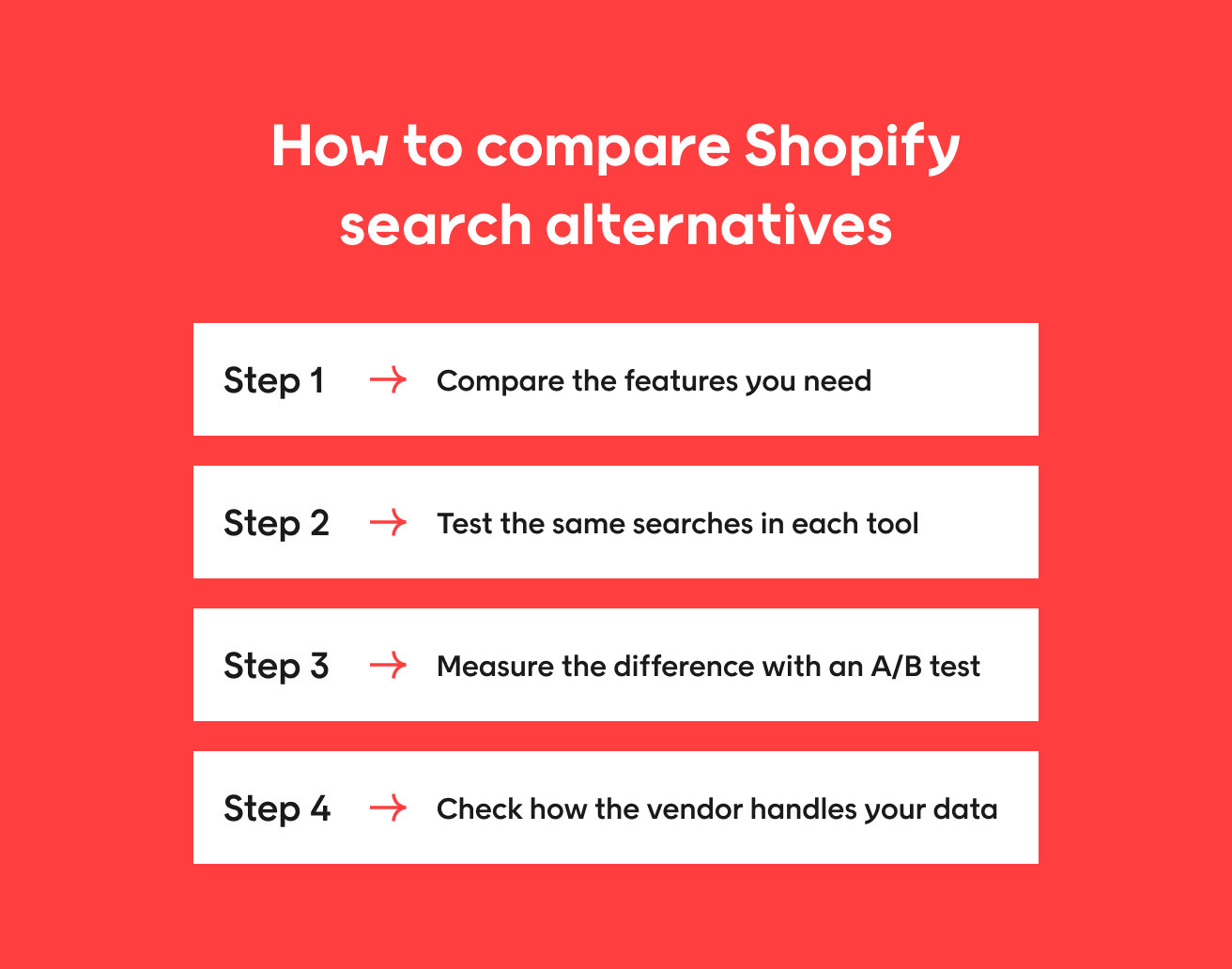
1. Compare the features you need
Start with the limitations you’ve identified with Shopify’s free search. If shoppers struggle to find products in their size, for example, look for tools that support variant-level stock ranking. If you sell in multiple countries, check whether you can configure search settings and rankings separately for each market.
Use the comparison below as a starting point and check vendors’ documentation and confirm specific capabilities during a trial.
| Area | Shopify Search & Discovery | Dedicated search tools |
| Relevance | Semantic search and typo tolerance; Shopify controls ranking | Some use additional signals such as sales, stock and margin |
| Stock | Moves fully sold-out products to the end of results | Some support stock-aware ranking at variant level |
| Personalization | No documented individual shopper personalization | Varies by vendor; may use browsing or purchase history |
| Markets | One set of boosts and search settings across the store | Some support market-specific ranking and settings |
| Manual adjustments | Product boosts for up to 10 search terms; no manual synonyms | May offer pinning, boosting, burying and excluding products |
| Testing | No built-in A/B testing documented | Varies by vendor |
2. Test the same searches in each tool
Once you have a shortlist, test each tool against your own catalog if you can. Start with searches from your Shopify reports, particularly those that return no results, get clicks but no purchases, or generate frequent searches.
Add queries that cover different ways shoppers look for products:
- Brand names. Do searches for your stocked brands return the right products?
- Category terms. Does “linen dress” return linen dresses, or products that only loosely match?
- Descriptive searches. Does “wedding guest outfit” return suitable clothing, even though shoppers haven’t specified a product category?
- Different languages. Do searches in every language you sell in return relevant products?
- Specific product requirements. Can shoppers find products in their preferred size or price range?
Run each search in Shopify Search & Discovery and in the vendor’s trial using the same catalog. Compare the first 10 results and record:
- How many results are relevant to the search?
- Are the most relevant products near the top?
- Are those products in stock?
- Can shoppers narrow the results using relevant product filters?
This gives you a direct comparison of how each tool handles the searches that matter to your store.
3. Measure the difference with an A/B test
A trial using your own catalog shows you how the tools handle the same searches, but it doesn’t tell you how shoppers will respond. If your store has enough search traffic, run an A/B test before switching over.
Send a portion of your traffic to the new search tool and keep the rest on the Shopify Search and Discovery app. Compare the two groups over the same period, ideally around 30 days:
| Metric | What it tells you |
| Search conversion rate | What share of search sessions result in a purchase? |
| Revenue per search session | How much revenue does each search session generate? |
| Zero-result rate | How often do shoppers get no results? |
| Search exit rate | How often do shoppers leave after viewing search results? |
| Add-to-cart rate | Are shoppers more likely to add products from search results to their carts? |
Voyado can run your real searches against your current search tool on your own catalog and show you where results differ.
4. Check how the vendor handles your data
Before you commit to a platform, check that the way it handles shopper data meets UK GDPR or EU GDPR, depending on where you sell.
This matters particularly if you want personalized search and product recommendations. A basic search tool can work with product information and search activity. A personalized product discovery tool also uses personal data, like each shopper’s browsing history or past purchases. Your business stays responsible for that data even when the vendor processes it, so you need to know exactly how they handle it.
Ask each vendor:
- Where is our data stored, and how long is it retained?
- What customer information does the tool collect and use?
- Does it integrate with our existing consent management platform?
- Does any personal data leave the UK or EU? If so, what safeguards or transfer arrangements apply?
- Can we delete customer data or export it if we stop using the service?
Voyado publishes its data processing agreement and list of subprocessors, so you can check these answers before you sign.
Moving from Shopify Search & Discovery to Voyado Product Discovery
When you’ve hit the limits of the Shopify Search & Discovery app, Voyado Product Discovery can take over search and collection pages on your Shopify store. It ranks your products using the stock and sales data the native app can’t use. Here’s how it handles each problem:
- Sold-out sizes. It ranks on stock for each size, so a trainer that’s only left in size 12 drops down the results.
- Manual work. It ranks search results and collection pages automatically on sales and newness, so your team doesn’t have to re-sort them by hand. Merchandisers can still pin, boost, bury, or exclude products for campaigns.
- Multiple markets. You can set up ranking for each market, so a winter coat campaign in Sweden only lifts that coat in Sweden.
- Choosing what products to prioritize. You can tell it to favor higher-margin products or new arrivals across all results, without boosting each product one by one.
Voyado works with Shopify stores, and you can test it on your own catalog before you switch.
FAQs
Is the Shopify Search & Discovery app free?
Yes, it’s a free app made by Shopify. Store owners can install it from the Shopify App Store and manage it in the Shopify admin. It works on every Shopify plan that includes an online store.
Can you customize search results in Shopify?
Partly. You can boost products for specific search queries and set up Shopify faceted search with custom filters. Shopify’s semantic understanding decides the rest of the ranking, and manual synonym groups are no longer available.
Does Shopify Search & Discovery show related and complementary products?
Yes. The app automatically recommends related products on product pages, and you can pick up to 10 complementary products by hand, like a case to go with a phone. Both need a compatible theme to display.
Does the Shopify Search & Discovery app use AI search?
Yes. Shopify AI search uses semantic understanding to match related words, so when shoppers search for “christmas party shoes” it can return items like red pumps. Shopify predictive search also suggests products as shoppers type.
Is the Shopify Search & Discovery app enough for a multi-market store?
It works well for one or two markets with clean product data. Beyond that, most merchants need results that reflect each market’s product availability and campaigns, which the app’s store-wide boosts and settings can’t provide.
How do I know if I've outgrown Shopify Search & Discovery?
Clean up your product descriptions and search filters first. If the same searches still get no results or no clicks afterward, or your team boosts products by hand every week, you’ve likely outgrown the app.
What should a Shopify Search & Discovery alternative do?
It should rank products using your store data, including stock for each size, sales, and margin, so customers searching see relevant results they can buy. Voyado Product Discovery does this on search and collection pages in every market.
How do we compare replacements across UK and EU storefronts?
Test each tool with real searches in every language and market you sell in. Check that local stock and campaigns shape each market’s results, then A/B test against your current search before switching everyone over.