TL;DR
E-commerce site search is how many shoppers find products, so when it returns nothing useful, you lose sales without those losses necessarily showing up in your reports. Check for the common mistakes and put a monthly cost on your failed searches. Fix the easy ones in your search settings, and test any new tool on your own catalog before you switch. Voyado customer cases show what better search can do: H&M cut zero-hit searches by 50%, and Obs and Obs Bygg increased revenue from search by 4.5%.
Shoppers use your search bar because they know what they want, and when search can’t find it, they often leave. Because nobody complains about a bad search, the same failures can go on for months, leading to a knock-on effect on your revenue and conversion rates. Most of these search failures come down to a few fixable mistakes, and your own search data can show you which ones you have.
This guide is for e-commerce managers and digital teams who suspect search is costing them sales but can’t see where. It walks through the most common site search mistakes, how to put a number on what they cost, what AI search adds and how to test new tools on your own catalog. By the end, you’ll know what to fix first and have the figures to back up the request.
What is ecommerce site search?
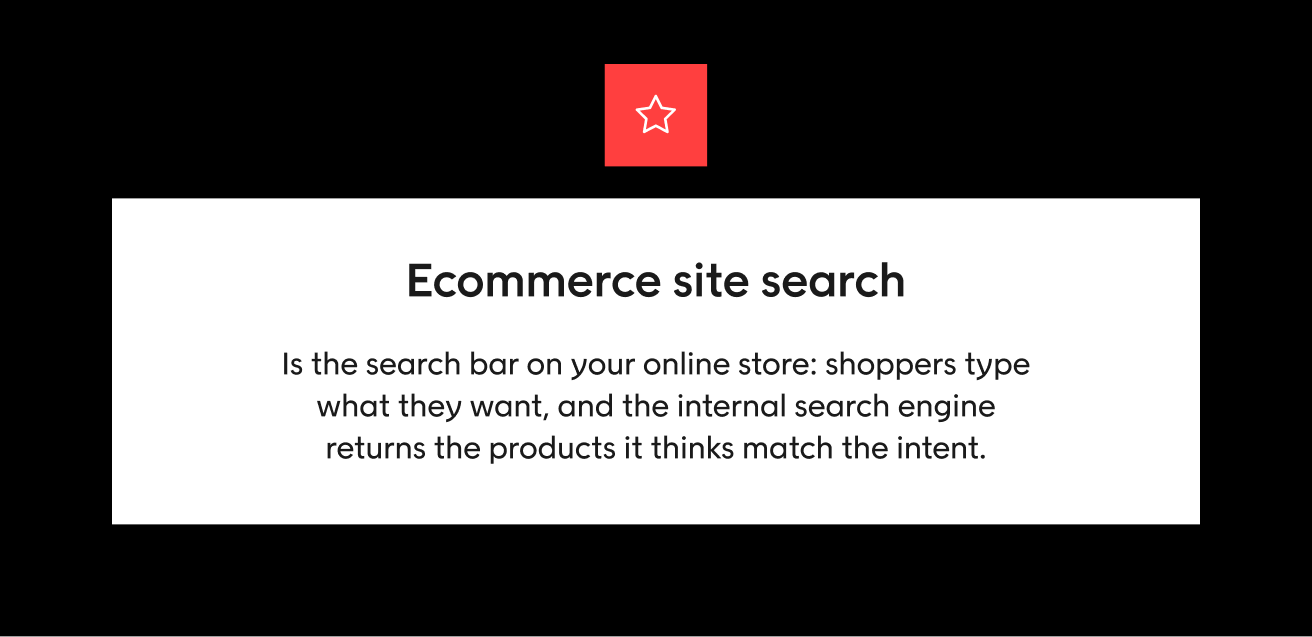
E-commerce site search is the search bar on your online store: shoppers type what they want, and the internal search engine returns the products it thinks match. There are three main types of search in product discovery:
- Keyword search matches the words in a query against the words in your product data.
- Semantic search matches on meaning rather than exact wording, so “wedding guest dress” can find a midi dress tagged “occasionwear.”
- Search that uses retail data weighs stock by size and what others click and buy as well as what the shopper searched for.
How accurate your search is has a direct effect on sales, and e-commerce site search statistics back this up. Forrester found that more than half of US online shoppers use it to find products they plan to buy, and 52% of those rely on it more than the site menu.
Following internal site search best practices helps get those shoppers to the right product quickly and can show related items and add-ons that grow the basket. It also answers questions like “returns” or “delivery times” without shoppers needing to contact your customer service team.
But irrelevant search results and zero-result pages can frustrate users and lead to abandonment. When search gets it wrong, it often comes down to a handful of common mistakes.
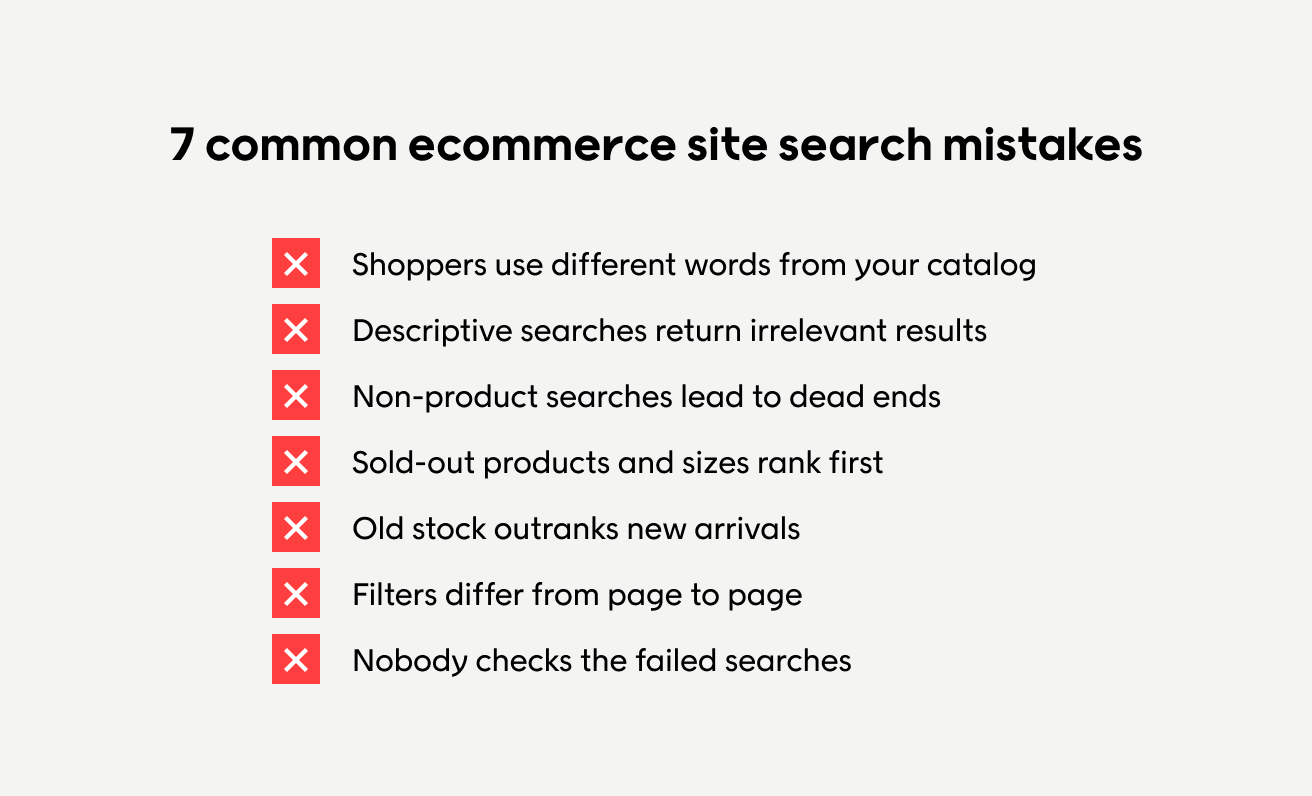
7 common ecommerce site search mistakes
Site search functionality may seem fairly straightforward at first, but it has a lot of moving parts. Check for these seven mistakes to see where shoppers might be getting stuck on your site and where you could do some internal site search optimization.
1. Shoppers use different words from your catalog
If your site search relies on keyword matching, you can’t serve relevant results when shoppers use different words from those in your product data.
For example, someone might search for “black pants”. If your trousers are listed as “trousers” and your search doesn’t recognize “pants” as a synonym, the shopper might only see results for underwear, even though you have plenty of products that match their search.
Search engines also need to handle misspellings effectively. If your search doesn’t account for common spelling mistakes, shoppers might get irrelevant results or no results at all. Autocomplete can enhance usability by providing suggestions as users type, but Baymard found that 69% of e-commerce sites provide poor support for misspellings in autocomplete.
2. Descriptive searches return irrelevant results
As shoppers become more used to AI-powered search processes, they may start using more descriptive queries. Instead of searching for “waterproof jacket”, for example, someone might search for “a lightweight jacket for hiking in heavy rain”.
If your search only matches exact keywords, it might struggle to understand what the shopper is looking for. This can lead to irrelevant results or a page with no results at all.
3. Non-product searches lead to dead ends
Shoppers sometimes use the search bar to look for things other than products, such as your return policy, delivery information or contact details.
If these searches lead to dead ends, it’s a missed opportunity to help shoppers find the information they need and move them further along their customer journey.
This is more common than you might think. Baymard found that 34% of shoppers had tried searching for non-product content, such as return policies or order cancellation information. Yet 15% of e-commerce sites didn’t support even basic non-product searches.
4. Sold-out products and sizes rank first
When your search doesn’t take product availability into account, you risk showing shoppers relevant products that they can’t actually buy.
This is frustrating, especially if a shopper has to click through to a product page before discovering that their size is sold out. Baymard found that 30% of shoppers are likely to leave and look for the product elsewhere when they find it’s out of stock.
5. Old stock outranks new arrivals
If your search ranks products by past sales, new arrivals start at the bottom of the results because they haven’t had time to build up any sales.
For example, someone searching for “jacket” in October might see last spring’s best-selling rain jackets at the top, while this season’s winter coats sit on page three. The shopper may assume you don’t stock what they want and leave, even though the new season’s lines are usually the ones you most want to sell at full price.
6. Filters differ from page to page
When there are filters on the category pages that don’t match the search results page, it creates a disconnected site search experience and can prevent shoppers finding what they want.
For example, say a shopper browsing your dresses category can filter by size and sleeve length. But if they search for “summer dress” instead, the results page might only offer price and brand. That leaves them scrolling through hundreds of dresses to find the ones in their size, and some will give up before they do.
Messy product data also plays into this. If some products are tagged “black” and others “noir,” a shopper who filters by black will only see part of your range, without realizing anything is missing.
7. Nobody checks the failed searches
On site search often sits between teams like merchandising, who know the products, and the tech team, who run the search tool. Without clear ownership, problems can go unnoticed. All the while, shoppers run into the same failed searches over and over again.
Failed searches are also easy to miss if your system doesn’t flag them. Shoppers don’t report a bad search, they just leave. Many dashboards only show totals, like how many people searched and how many of them bought, so one search term that fails hundreds of times a week gets lost in the average.
The good news is that your search data already shows which of these mistakes you have. It just needs someone to pull it out.
How to put a number on what poor search costs you
When you’re clear on which searches are failing and what those searches are costing you, you can prioritize what to fix first and have figures to back requests for time or budget. Follow these three steps to get the data you need.
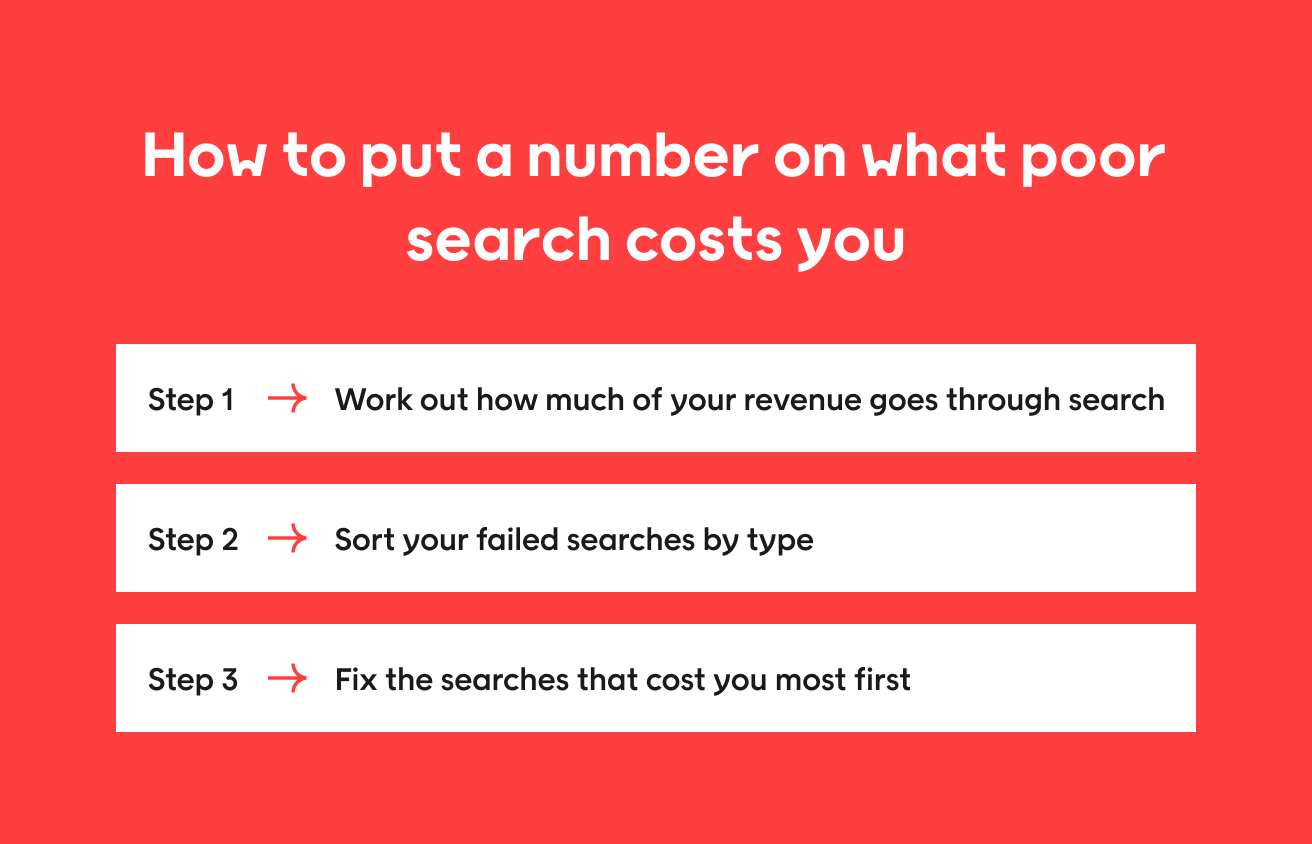
Step 1: Work out how much of your revenue goes through search
If you use Google Analytics 4 and have site search tracking turned on, it logs a search whenever the search term appears in the page URL. Your search tool’s own reports usually have the same data.
For those search sessions, note down:
- Click-through rate. How often shoppers click a result.
- Search exit rate. How often shoppers leave straight after seeing results.
- Add-to-cart rate. How often a search leads to something going in the cart.
- Revenue per search session. What the average search session is worth.
These figures give you your baseline.
Step 2: Sort your failed searches by type
Export your top search terms from the last 90 days. Your search tool’s analytics is the best source, since it sees what each search returned and what shoppers clicked. GA4 can cover some of this, but only once a developer has set up events for search results and clicks. Flag any searches that:
- Return no results
- Get few clicks on the results
- Get clicks but rarely lead to a sale
- Often end with the shopper leaving the site
Then go through the no-results searches and note why each one failed.
Step 3: Fix the searches that cost you most first
Put your failed searches in a spreadsheet, one row per search term with its monthly search count. Start with your top 100 by volume. That covers your most common searches and is a manageable amount to work through.
Add a column for the estimated monthly cost:
- No-results searches. Monthly searches × your site’s average conversion rate × average order value
- Searches that return results but convert poorly. Monthly searches × (your average search conversion rate − this search’s conversion rate) × average order value
For example, 1,500 monthly searches for “pants” that return nothing relevant, at a 2% conversion rate and a €70 average order, add up to about €2,100 a month. The figure won’t be exact, but it’s a good enough indicator for what those searches cost you.
Then add a column for the kind of fix each search needs, whether that’s a simple settings change like adding a synonym, adding missing attributes or a ranking problem your current search function can’t solve.
Sort by cost and work through the settings changes first, since you can make those yourself. After a few weeks, check the same searches against your Step 1 baseline. Any ranking problems still on the list are your case for better search.
What AI search for ecommerce adds once the basics work
Quick fixes like adding synonyms and filters can go a long way toward providing more relevant search results. But for truly effective site search, the results also need to reflect what’s in stock and how shoppers behave. Here’s how AI search makes this possible.
Ranking that knows what’s in stock and what’s new
Forrester found that 72% of US online adults say it’s important to be able to filter search results by availability, and AI search can use your stock and sales data to decide what ranks first. Site search users see products they can buy without merchandisers having to manually update everything.
It checks availability at size level, so a coat that’s sold out in most sizes drops below one that isn’t, and close alternatives fill the gap when a product is gone. For omnichannel retailers, it can also use stock at nearby stores for shoppers who want to click and collect.
New arrivals don’t have history for what shoppers click and buy yet, so AI search can give them a boost until they’ve built one up. That way, this season’s coats can outrank last season’s best sellers as soon as they launch.
Personalized search results for new and returning shoppers
Personalized search adjusts results to the shopper, so two people searching for “jeans” can see different products.
New visitors don’t have a history yet, so search works from what’s popular and what they do in the current session. If someone clicks on two pairs of wide-leg jeans, wide-leg styles move up in their next search.
For returning shoppers, personalized product discovery can also use past purchases and loyalty status. Someone who usually buys one brand sees it higher in the results, and related products like belts can appear alongside, which helps raise average order value.
Some platforms now go a step further with agentic discovery, where shoppers describe what they need in a conversation and the search guides them to matching products on your own site.
Control for merchandisers when they need it
AI search ranks most searches automatically and keeps them up to date as stock and sales change, which frees merchandisers to focus on the moments where they know something the data doesn’t, like a campaign launch or stock they need to clear.
Merchandising tools usually offer four controls:
- Pin. Fix a product in a set position, like a gift set at the top of “gift” searches in December.
- Boost. Move products higher, like summer sale items while the sale is on.
- Bury. Push products lower, like lines you’re about to discontinue.
- Exclude. Hide products that don’t belong, like laptop bags in searches for “laptop.”
These AI capabilities are now readily available for e-commerce search engines, but exact features vary from platform to platform.
How to evaluate ecommerce site search solutions using your own search data
Many site search solutions look similar on paper, and ecommerce search vendors tend to demo them with clean, simple queries. To find a good site search solution for your store, ask to test each search platform on your own catalog and real shopper searches. Here’s how to run the evaluation, from deciding what you need to piloting your top choice:
| Step | What to do | What you’re looking for |
| 1. Decide what the tool has to fix | Start with the priorities you worked out in the “How to put a number on what poor search costs you” section, or with a product discovery audit. Turn the most expensive problems into must-haves, like “ranks by stock at size level” or “handles every language we sell in,” and add your e-commerce platform and markets. | A short list of requirements to judge every vendor against |
| 2. Test them on your own catalog | Ask each vendor to load your product feed into a trial. Run your failing searches, including exact search queries and vague descriptions, and repeat them on mobile search. For each search, mark it a pass if at least four of the top five results are relevant and in stock, then compare each vendor’s total with your current search. | Which vendor gives accurate results for most of your failing searches |
| 3. Work out the full cost | Ask about setup time and the data the tool needs, like how often stock updates. Check the pricing model and how it uses customer data such as purchase history. Have a merchandiser try pinning and boosting products to see how much day-to-day work it takes. | The total cost in money and team time, plus whether it fits your consent setup |
| 4. Pilot your top choice with real shoppers | Run it on part of your live traffic or in one market for a few weeks. Compare it with your current search on your baseline site search performance metrics. | More accurate search results for real shoppers, including ranking that learns from what they click and buy |
Once you know what your search needs to fix, Voyado Product Discovery is a good place to start.
Where Voyado Product Discovery fits in ecommerce product search
If your e-commerce site search only has a handful of failing searches and serves one market, tuning your current setup with synonyms and redirects may be all you need. But if the expensive problems on your list are about ranking, like sold-out sizes showing first or new arrivals stuck at the bottom, it’s time to look at better search.
Voyado Product Discovery covers core e-commerce search features, from autocomplete to typo handling, and returns results within 60 milliseconds. It ranks site search results automatically using signals like stock levels and what shoppers add to their bags, and lets merchandisers step in when they need to.
After moving to Voyado, H&M cut zero-hit searches by 50% and exits by 30%, and Obs and Obs Bygg (Coop Norway) increased revenue from search by 4.5%.
FAQs
What is site search?
The internal site search bar is the place on your site that lets shoppers look through your products and pages. Its search engine matches what users search for against your product data and returns a search results page, ideally with the most relevant products at the top. Optimizing site search according to e-commerce search engine best practices can reduce bounce and abandonment rates.
How is ecommerce internal search different from external search?
External search happens on search engines like Google, before someone reaches your site. Internal site search happens once they’re on your e-commerce website, using the search box. External search data shows which queries brought people to you, and site search data shows what they want, in their own words, once they’re there.
What is a good zero-result rate?
E-commerce site search best practices don’t set a single number to aim for. Look at why searches fail instead. Typos and different wording are quick to fix with synonyms and fuzzy matching, while searches for products you don’t sell show demand your buying team may want to know about. Either way, a zero-results page should offer similar products or popular categories, so shoppers have somewhere to go next.
What is a good site search conversion rate?
There’s no universal benchmark, because conversion rates vary widely by industry and price point. Compare shoppers who search with shoppers who browse on your own site. Searchers usually convert at a higher rate because they know what they want, so the useful question is whether that rate improves after each change you make.
How do natural language processing and semantic search improve site search?
Natural language processing (NLP) helps your search work out what a query means as well as which words it contains. Semantic search uses this to match complex queries, like “warm coat for a winter wedding,” with relevant products, even when your product data uses different words. Machine learning can then improve search relevance over time by learning which results shoppers click and buy.
What is faceted search?
Faceted search lets shoppers narrow down a search results page with filters such as size and color. The best filters change with the category: a search for “running shoes” should offer shoe size and cushioning, and a search for “sofa” should offer width and material.
Does ecommerce site search support voice and visual search?
Some site search solutions support voice search, where shoppers speak their query, and visual search, where they upload a photo to find similar products. Voice queries tend to be longer and more conversational, so they rely on natural language processing. Visual search only works as well as your product images are tagged.
How often should you review site search data?
Check your top failed searches and low-converting searches at least once a week. Site search analytics shows what shoppers want in their own words, so it’s useful beyond search too: it can point to gaps in your range and to product descriptions that need clearer wording.