TL;DR
Most teams treat product taxonomy as housekeeping. It’s really discovery infrastructure. Search, filtering, navigation, product recommendations, and AI-assistant visibility all sit on top of it.
Your product catalog now has three audiences. Shoppers, ranking algorithms, and AI assistants all read it, and all three are limited by your product category structure and how complete your product attributes are. The most common product taxonomy mistake is too much category depth and too few attributes.
This guide covers the vocabulary, the design rules, the process, the mistakes, and the numbers that show whether your product taxonomy is healthy. It’s for e-commerce managers, digital merchandisers, product managers, and anyone who owns product data.
Why product taxonomy became a discovery problem
Product taxonomy used to be an information architecture question about organizing a menu so customers navigate to the right products. That framing is too narrow now.
Your taxonomy structure and attribute schema feed the search index, the filter set, search relevance, the feeds going to marketplaces, and the structured data AI assistants read. A weakness in one place shows up in all of them.
Baymard Institute’s 2025 benchmark found up to 67% of leading US and European sites perform “mediocre” to “poor” on homepage and category navigation, the weakest area they measure.

Three audiences now read your catalog
- Shoppers read category names and filter labels. Their expectations are set by the best site they used yesterday, not by your closest competitor.
- Ranking algorithms need structured signals. Search engines can’t rank on “waterproof” if the word only appears inside a paragraph of marketing copy.
- AI assistants read product data to answer very specific requests. They can’t recommend a product whose attributes they can’t read, which matters more each quarter as agentic AI in retail moves from pilots into everyday shopping.
All three want the same thing: a catalog that says plainly what each product is. Fix that once, and the customer experience improves for all of them, which is why e-commerce product discovery now depends more on data structure than on menu design.
Product taxonomy, categorization, attributes, and facets explained
These terms get used interchangeably in most companies, and that confusion causes real design mistakes. Here’s a clear product taxonomy definition next to the terms it gets mixed up with.
| Term | What it is | Example | What it drives |
| Taxonomy | The classification system, hierarchy plus rules | Your category tree for womenswear | Navigation, URLs, reporting |
| Category | One node and its parent-child links | Women > Outerwear > Coats | Browse paths, breadcrumbs |
| Product categorization | Assigning products to categories | This parka belongs in Coats | Whether products are findable |
| Attributes | Structured properties of a product | material = wool, length = knee | Filtering, ranking, search matching |
| Facets | Attributes shown to shoppers as filters | Size, color, and price filters | How shoppers narrow results |
| Ontology | Links between concepts beyond hierarchy | A parka is a coat, worn in winter | “Style with” suggestions |
Taxonomy is about where a product lives. Attributes are about what a product is. Product categorization connects the two, and discovery quality depends far more on attributes than most teams expect.
That gives you a way to judge your own taxonomy structure against a set of best practices.
What a well-organized product taxonomy looks like
A well-structured taxonomy follows a few rules that hold up across almost any catalog. These product taxonomy best practices are the core components worth getting right.
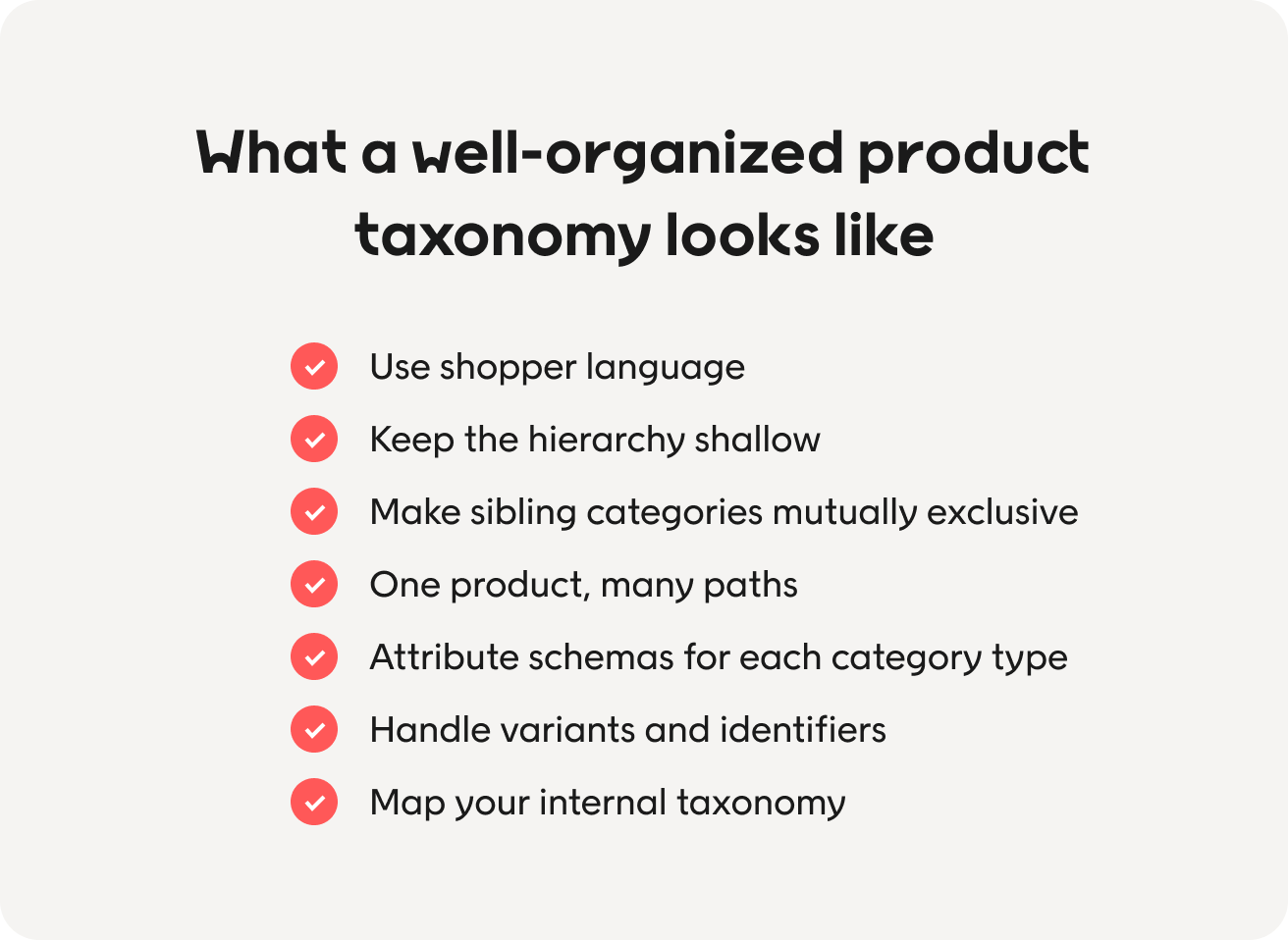
Use shopper language, not internal language
Your product categories should match the words customers use, not your buying team’s structure or your suppliers’ naming.
| What the business calls it | What shoppers call it |
| Cat 4 Outerwear | Winter coats |
| Legwear and hosiery | Tights and socks |
| SS26 Transitional | Lightweight jackets |
Your site search logs show the words people actually use, so names built on real customer behavior are the cheapest fix in any e-commerce taxonomy.
Keep the hierarchy shallow and push nuance into attributes
Start with broad categories at the top and get more specific going down. Two or three levels work for many catalogs, and three to four is plenty for most retailers.
Deep category structures feel thorough and rarely perform. Every extra level adds clicks, thins out your category pages, and gives products another place to hide.
Too deep: Women > Outerwear > Coats > Wool > Knee-length
Better: Women > Outerwear > Coats, plus attributes for length, material, and warmth
Attributes combine freely. A hierarchy can’t.
Make sibling categories mutually exclusive
Overlapping categories at the same level are the top source of shopper confusion and inconsistent product categorization.
The test: if a product could sit in either one, the categories are wrong or the difference belongs in an attribute. Shoppers bounce between the two, trust neither, and leave.
One product, many paths
Give each product one main category for reporting and URLs, then let shoppers reach it four other ways.
- Search
- Filters and faceted navigation
- Curated collections
- Recommendations
Faceted navigation lets people filter without clicking deep into the tree, which is a better customer experience. Good site navigation supports browsing, but it shouldn’t carry the whole discovery load alone.
Define an attribute schema for each category type
Different product categories need different attributes. Coats need length, material, and warmth. Laptops need processors, RAM, and other technical specifications.
Write down the required and optional product attributes per category type, then enforce them, starting with the relevant attributes shoppers actually filter on.
Why it matters: Size, color, and material have to mean the same thing everywhere because inconsistent values quietly break filters. Managing product data effectively starts here, and it’s the highest-return product taxonomy work you can do.
Handle variants and identifiers deliberately
Variants: Decide early what counts as a product, what counts as a variant, and how size and color availability show up. Get this wrong, and a shopper filters for their size and still sees things they can’t buy.
Identifiers: Keep category and attribute IDs stable even when display names change. Renaming “Coats” to “Winter Coats” for a season shouldn’t break your integrations, feeds, or reporting history.
Map your internal taxonomy to Google Product Taxonomy and other sales channels
Google Shopping, marketplaces, and ad platforms have fixed structures of their own. Handle taxonomy mapping to the correct Google product category as a separate step so your Google Shopping product listings stay consistent without an external list reshaping your own tree.
These rules are easier to judge against a real product.
Two product taxonomy examples from one winter coat
Here’s the same coat handled badly, then handled well.
| The weak version | The strong version | |
| Category | Women > Outerwear > Coats > Wool Coats > Long Wool Coats | Women > Outerwear > Coats |
| Title | “Elegant Long Coat, AW26” | “Knee-length quilted wool-blend coat” |
| Product attributes | color, size | material = wool blend, length = knee, lining = quilted, closure = button, warmth = 3/5, occasion = work and everyday, waterproof = no, care = dry clean, season = autumn/winter |
| Everything else | Buried in a paragraph of prose | Structured, filterable, and machine-readable |
The weak version fails four ways. Five levels deep leaves a category page with twelve products on it. “Wool” as a category can’t combine with another filter. A shopper searching “waterproof winter coat” gets nothing. And an AI assistant can’t check a warmth claim that lives in prose.
The strong version fixes all four, and your merchandising team can build a collection like “warm wool coats for commuting” from attributes you already hold.
How to restructure your product taxonomy step by step
Each step produces something the next one needs, so the order matters more than the speed.
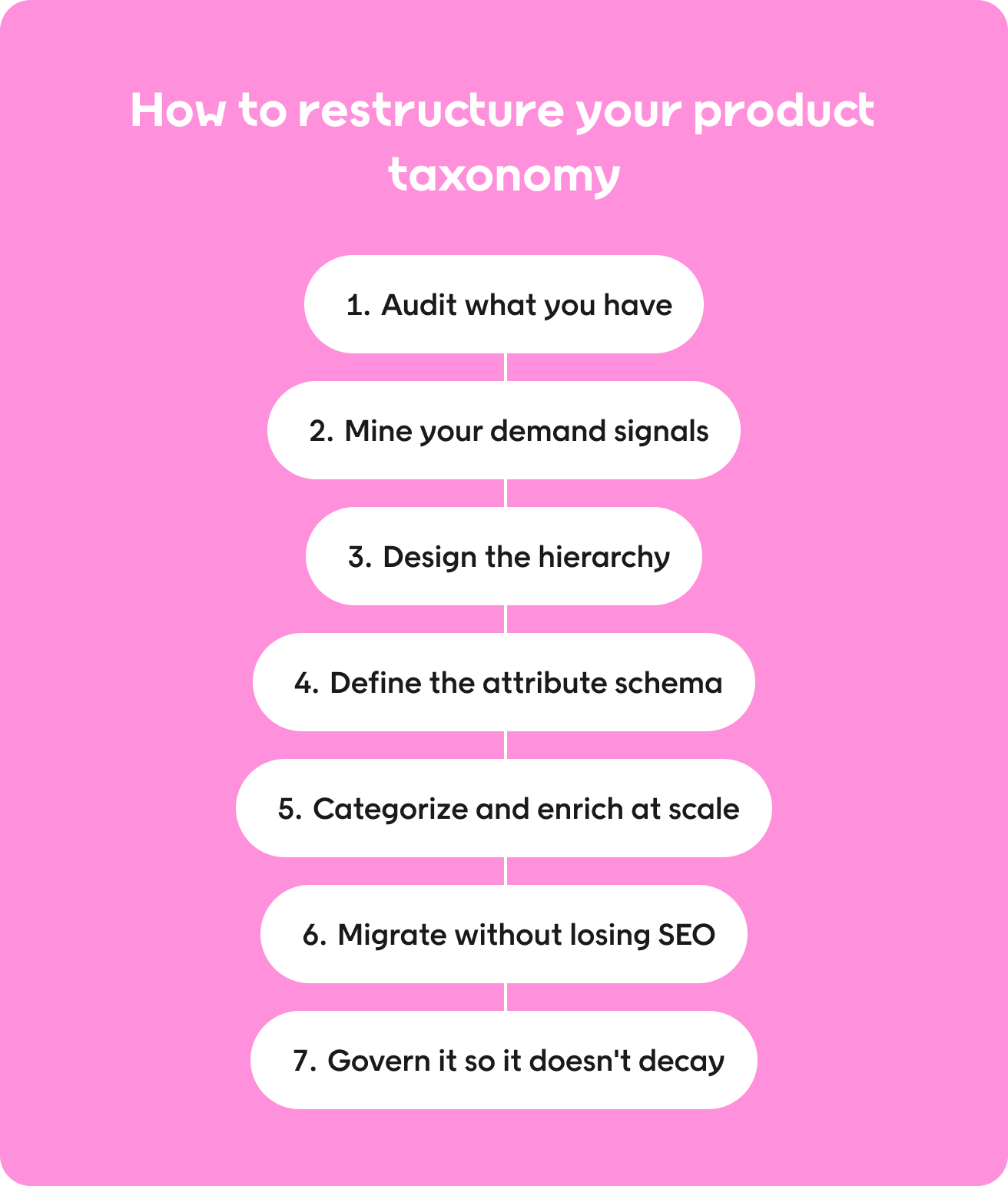
Step 1: Audit what you have
Map your current categories and subcategories and count products per node, then flag:
- Thin product categories with too few items to justify a page
- Bloated categories nobody could browse
- Redundant categories that overlap with a sibling
- Orphan products sitting outside the tree
- Duplicate categories left from an old migration
- Dead seasonal nodes nobody retired
Then audit your attribute data. For every category type, work out what percentage of products have each required field filled in. This is almost always where the real problem hides.
Done when: you have a list of problem categories and an attribute completeness score for every category type.
Step 2: Mine your demand signals
Use evidence, not opinion. Pull your top site search queries, your zero-result queries, filter usage, category exit rates, and organic keyword data, and read them as a picture of user behavior.
Zero-result queries are the most useful. They tell you what shoppers expect to find and the words they use, and many are attribute requests your catalog can’t answer. The importance of site search as a window into customer behavior is hard to overstate.
Done when: you can name the things shoppers ask for that your catalog can’t currently answer.
Step 3: Design the hierarchy
- Apply the best practices above. Shopper language, broad categories at the top, mutually exclusive siblings, and a sensible product count at every node. A tree built this way enhances user experience across search, browsing, and filtering.
- Test it before you build it. Asking a handful of customers to sort your categories into groups costs very little next to getting your categories and subcategories wrong.
Done when: real customers can place a product in your tree without hesitating.
Step 4: Define the attribute schema
For each category type, write down the required attributes, the optional ones, the allowed values, the units, and the naming conventions. Use fixed lists, never free text.
Free text is how catalogs end up with “navy,” “Navy,” “navy blue,” and “dark blue” as four separate colors that split one filter into four. Clear attribute definitions plus data validation at the point of entry prevent nearly all of it.
Done when: every category type has a written schema your PIM system can enforce.
Step 5: Categorize and enrich at scale
For a large product catalog, manual taxonomy creation stops being realistic at a few thousand products. Use a structured system with three layers.
- Fixed rules where patterns are reliable, such as supplier codes that map cleanly to the correct categories.
- AI-assisted classification for everything else. Machine learning models sort new products using titles, descriptions, images, and existing attributes, and flag inconsistencies nobody would find by hand.
- Human review for uncertain cases and high-value products.
Set a confidence threshold and send anything below it to a person. AI cuts manual effort and improves operational efficiency, but accurate classification still needs checking, so review the output on a schedule.
Done when: every product has a category and a populated schema, and you know your error rate.
Step 6: Migrate without losing SEO
If your URLs change, map old to new and put the redirects live before launch. Keep your highest-performing category pages where you can.
Update internal links, sitemaps, structured data, and every feed going out to your sales platforms at the same time, then watch rankings for a full quarter. A clear e-commerce category structure helps search engines understand your catalog, so a careful migration protects your existing search engine optimization value.
Done when: redirects are live, feeds are updated, and traffic has held for a quarter.
Step 7: Govern it so it doesn’t decay
Product taxonomy degrades quietly. Give it a named owner, usually someone close to the PIM system, and set up a process so new products are categorized and enriched at onboarding instead of fixed months later.
Set a cadence for taxonomy updates, with attributes reviewed quarterly and the hierarchy annually, plus an expiry rule for seasonal categories. Regular reviews and testing are the best practices that keep a product taxonomy relevant, so treat taxonomy management as an ongoing job rather than a project.
Done when: never, and that’s the point. Governed properly, your taxonomy becomes a strategic asset rather than a project that ages out.
Now that we’ve covered the process, here are some challenges for you to watch out for.
8 common product taxonomy mistakes
These product categorization failures show up in almost every retail product taxonomy, and most e-commerce sites have at least three of them.
| Mistake | What it costs you |
| 1. Org-chart taxonomy, where the tree mirrors your buying teams | Shoppers can’t find categories they’d name differently |
| 2. Too many levels, because depth feels thorough | Thin category pages, more clicks, misfiled products |
| 3. Attributes disguised as hierarchical categories | Filters can’t combine; every new material needs a node |
| 4. Inconsistent attribute values, like four spellings of one color | Filters break silently; good products drop out |
| 5. Thin or missing attributes across whole product categories | Weak search, useless filters, the vendor gets blamed |
| 6. Seasonal categories that never expire | Crawl waste, thin pages, a cluttered internal taxonomy |
| 7. Ignoring variant-level stock in size filters | Frustrated shoppers, a measurable drop in trust |
| 8. Product taxonomy treated as a one-off project | The structure stops matching the catalog within a year |
The fifth one is the most expensive and the hardest to spot. Nothing announces a missing attribute. Shoppers just meet a search box that doesn’t understand them, and teams blame the search technology rather than the product data behind it.
How to measure the health of your product taxonomy
Put these eight numbers on a dashboard and review them with your other e-commerce business metrics.
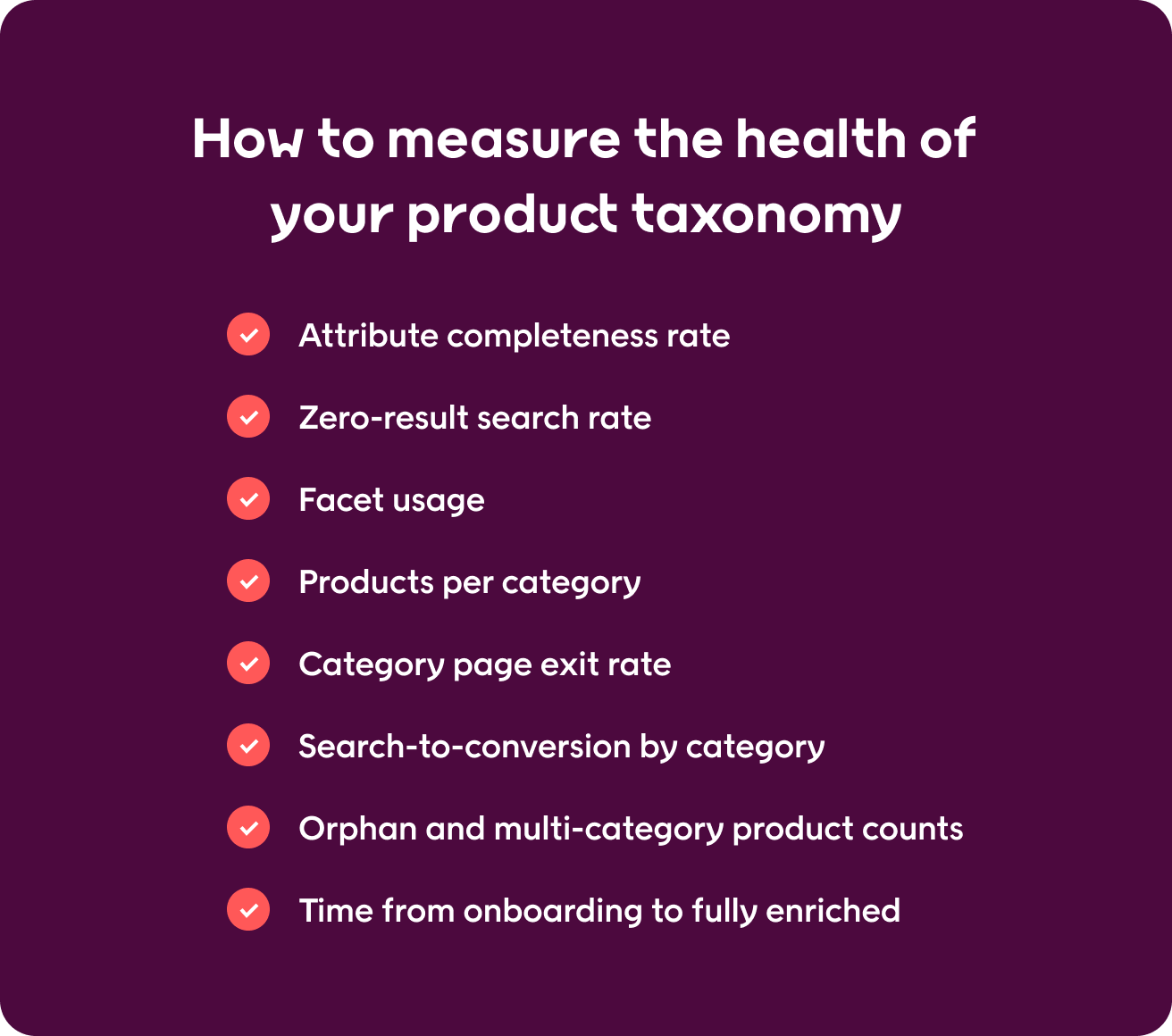
- Attribute completeness rate. Products with every required field filled in, by category. Your headline metric.
- Zero-result search rate. Track the total, then check how many of those queries asked for an attribute you don’t hold.
- Facet usage. Which filters get used, which get ignored, and which return nothing.
- Products per category. Flags both the thin categories and the bloated ones.
- Category page exit rate. Shows where customers navigate into a dead end and give up on your online store.
- Search-to-conversion by category. Isolates where findability is weak. Econsultancy found visitors who use site search convert at 4.63% against a 2.77% site average.
- Orphan and multi-category product counts. Catches product categorization problems early.
- Time from onboarding to fully enriched. How long a new product takes to become findable.
Tracked over time, these turn taxonomy management from opinion into evidence and show whether your category structures are ready for a machine audience.
Product taxonomy in the age of AI-assisted discovery
AI assistants don’t browse your online store the way a person does, and that changes what your catalog has to do.
They turn a request into a set of conditions and run it against your product data. Natural language processing reads “a warm waterproof coat for commuting” as four separate requirements.
- warmth = high
- waterproof = yes
- category = coats
- occasion = commuting
Your catalog either holds fields that answer those or it doesn’t. Structured data markup is how you expose them, and good systems also handle synonyms. So, “parka” and “winter coat” return the same results, which lifts search accuracy without another category.
None of this needs a separate AI strategy. The attribute work that improves your filters, your search results, and your customer experience is the same work that makes your catalog readable to assistants. One investment, three audiences.
It’s also why the same product data now shapes agentic merchandising and why product categorization quality sets the limit on what any discovery technology can do for you.
How Voyado Elevate turns structured product data into discovery
A good discovery engine takes pressure off your hierarchy. It’s worth being clear about where that help stops.
Elevate matches searches to attributes, not just category names
Shoppers rarely search using your category names. They search using attributes, occasions, and problems.
Voyado Elevate reads what someone means and matches it against your product data, not just category paths. Every attribute your team fills in becomes another question your site can answer.
Filters that reorder as shoppers move through your site
The filter that helps someone on a broad category page is rarely the one they need three clicks later.
Elevate reorders filters as people move, showing whatever is most useful at that point. Any product attribute can become a filter, so nobody is hard-coding four per category or raising a ticket for the fifth. That’s a better site search experience without the upkeep.
Ranking that accounts for stock, newness, and margin
Relevance alone can happily surface a product you can’t sell.
Elevate also ranks on how a product is doing, including stock, newness, and what’s trending, and you can push it toward profit, conversion, or revenue. Your merchandising team stops pulling out-of-stock lines by hand every Monday.
Searches your category tree was never built to answer
Campaign groupings and one-off requests rarely match the tree you already have.
When a search has no exact match, Elevate still returns something useful instead of an empty page. Merchandisers can group products and boost, bury, or pin them so a campaign goes live in an afternoon rather than waiting on the dev team.
It’s the same flexibility behind searchandising, the online merchandising strategies you want to run, and the product recommendations across your site.
What Elevate can’t fix for you
Most vendors skip this part. No discovery engine can rank, filter, or recommend anything your catalog doesn’t contain.
Elevate makes good product data work harder. It can’t replace it. Pair it with clean product categorization and someone owning your attributes, and you’ll get more from both. Expect it to fix the catalog for you, and you won’t.
Is your search still weak even though you’re happy with your platform? It’s usually the product data.
Book a demo to see how Elevate turns enriched product data into results across search, navigation, and e-commerce merchandising.
Final thoughts
Product taxonomy isn’t a tidy-up task. It’s the structure that search, filtering, navigation, recommendations, feeds, and AI-assistant visibility all sit on.
Spend less energy on hierarchy depth and more on attribute completeness. A shallow tree, rich attributes, and real governance beat an elaborate structure almost every time. For most retailers, that’s a real competitive advantage.
Start with two numbers, attribute completeness by category, and your top zero-result queries. They’ll show you where the real problem is within an afternoon. For how discovery, loyalty, and customer data connect, Voyado is worth a look.
FAQs
What is a product taxonomy in e-commerce?
An e-commerce product taxonomy is the classification system that organizes your catalog. It’s the category hierarchy, the rules for what goes where, and an attribute schema describing each product.
What is the difference between product taxonomy and product categorization?
Taxonomy is the system, meaning the structure and the rules. Product categorization is the act of putting products into the right places within it. A good taxonomy makes consistent product categorization possible.
How many levels should an e-commerce category hierarchy have?
Three to four levels suit most retailers, and many catalogs work well with two or three. Deeper trees produce thin category pages, more clicks, and more misfiled products. The extra detail belongs in attributes.
What is the difference between categories and attributes?
Categories describe where a product lives. Product attributes for e-commerce describe what it is, covering material, size, length, and warmth. They drive filtering, search matching, and ranking.
About Author