TL;DR
Shoppers use faceted search all the time, but the strategy behind the filters can be an afterthought. Good faceted navigation is about getting shoppers to what they’re looking for in as few clicks as possible, showing them relevant results and in-stock items for a smooth search experience.
Most facet problems start with product data. A search filter can only use the available information, and that information must be consistent. With Voyado Elevate, you can build facets from any product attribute in your feed and adapt them to the current result set. You can also manage them centrally while tailoring them to each market, including range facets that handle mixed units.
What faceted search is (and how it differs from filtering and navigation)
Faceted search lets shoppers narrow results by product attributes such as color, size, brand, price, or material. Shoppers can combine multiple criteria, and the options update to reflect the available products. You’ll also see this called faceted navigation or check-box navigation, since it’s often presented as a list of options with a checkbox next to each one.
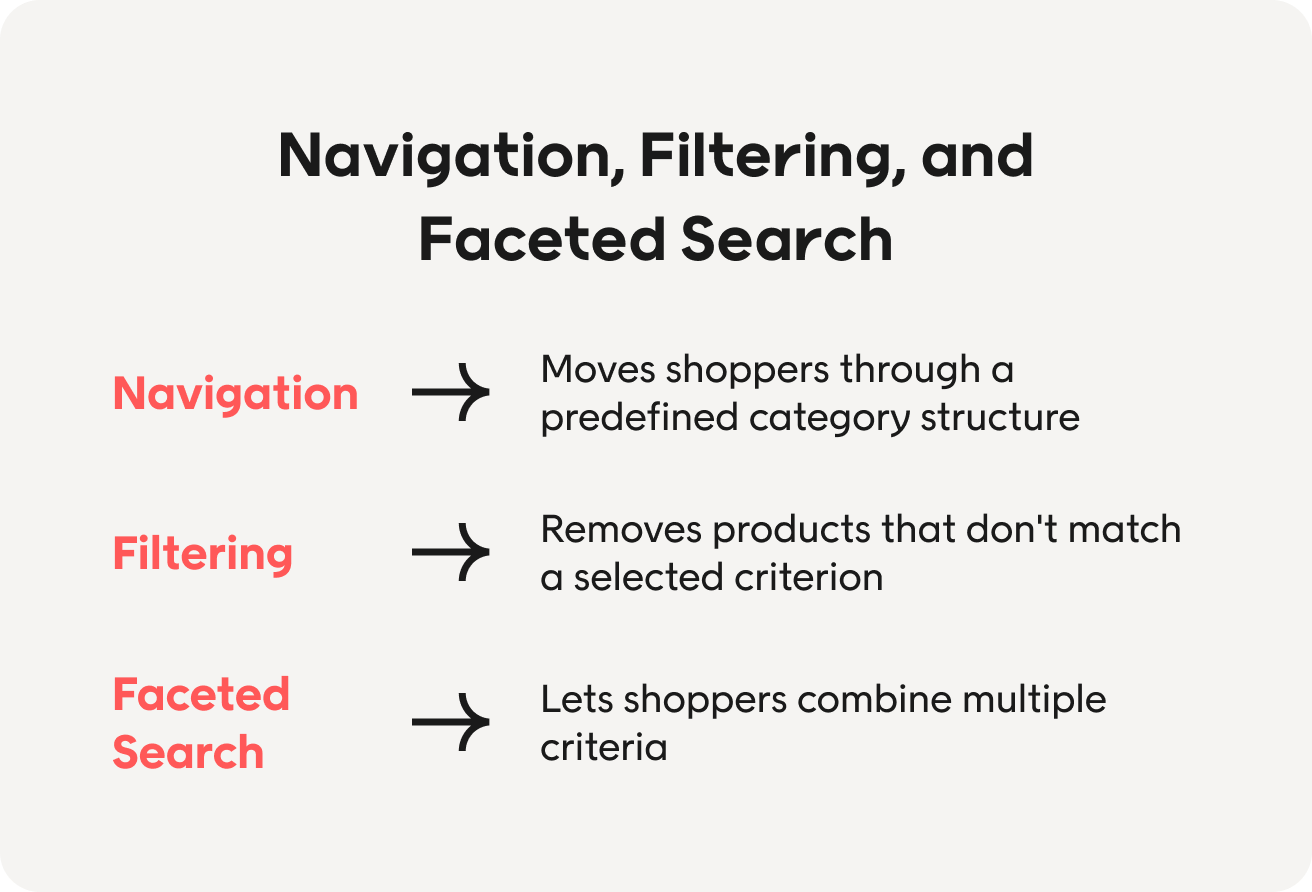
Navigation, filtering, and faceted search are often used interchangeably, but they describe different things:
- Navigation moves shoppers through a predefined category structure, such as Women → Clothing → Jackets.
- Filtering removes products that don’t match a selected criterion.
- Faceted search lets shoppers combine multiple criteria, and the available options update to reflect the current result set.
That last part is what makes search faceted. If the filter options stay the same regardless of what a shopper has already selected, the experience isn’t adapting to the current results.
Why facets deserve more attention than they get
When shoppers use faceted search, they’re usually trying to narrow down a large set of products to find one that meets their needs. At that point, the facets become part of the buying experience. If they help shoppers quickly rule products in or out, they can make it easier to move towards a decision.
As product catalogs grow, faceted search becomes even more important. A category with hundreds or thousands of products is difficult to browse manually, particularly for mobile users with smaller screens.
Despite this, facets can become a set-it-and-forget-it part of the site. The catalog changes and you add new attributes, but the faceted search configuration may stay exactly the same. Facets deserve regular attention. They depend on the product data behind them, and both need to keep up with the catalog they’re helping shoppers explore.
Best practices for faceted search
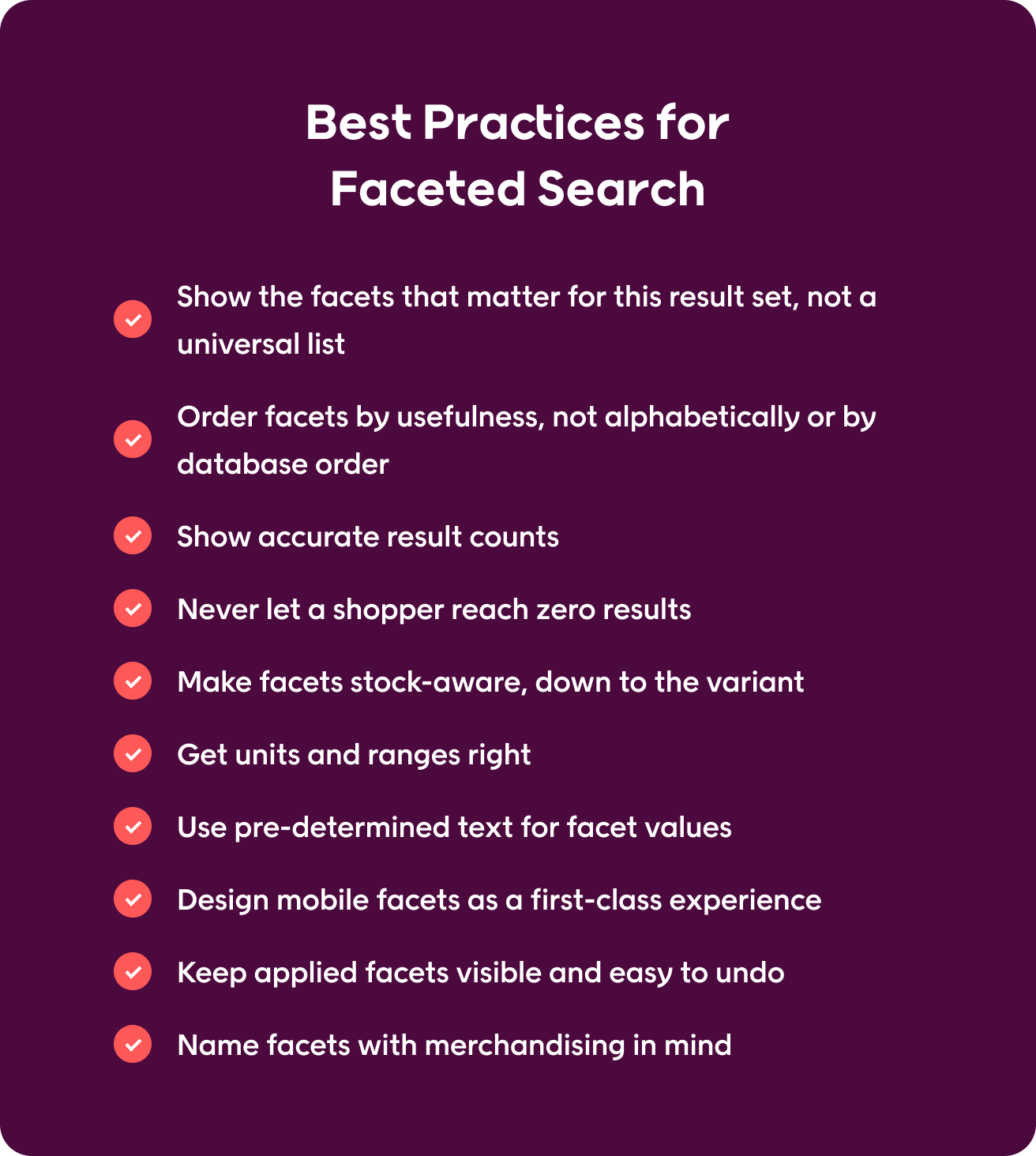
Following guidelines when you implement faceted search will help shoppers reach a short, relevant list of products instead of hitting a dead end. Use these 10 faceted search best practices to audit facets you already have or build new ones from scratch.
1. Show the facets that matter for this result set, not a universal list
Using the same basic filter template across all categories can leave shoppers with options that don’t fit the products they’re browsing. Outerwear, for example, might need facets for length and material, while electronics might need facets for screen size.
Configure each category so shoppers see only the facets that help them narrow those products. You can also hide facets that no longer help with the current results. If only one brand remains, for example, a brand filter leaves shoppers with nothing to choose from.
2. Order facets by usefulness, not alphabetically or by database order
Shoppers tend to interact most with a handful of attributes, like size, price, and color for fashion, so list those facets first. Database order reflects how your schema is built, not how shoppers think, and alphabetical order assumes they already know the exact name of what they’re looking for.
Use your own data to decide the order rather than relying on assumptions, and revisit it at regular intervals. In Elevate, you can sort facet values by relevance (based on sales performance), alphabetically, or with a “natural” sort that reads numbers the way people do, so “2-pack” sorts before “10-pack” instead of after.
3. Show accurate result counts
Counts next to each filter option give shoppers a clearer idea of what they’ll find before they click. But the counts need to be accurate. If a color shows 42 results and only three are available, shoppers quickly lose trust in the filters. Once that happens, they stop using them altogether and go back to scrolling through everything.
Update the counts as the result set changes, and treat incorrect numbers as a bug to fix.
4. Never let a shopper reach zero results
Once a shopper narrows to “waterproof” and “size 10,” hide or disable colors that don’t exist in that combination rather than letting them click through to nothing. They’ve already told you they’re close to buying, so a dead end here costs more than losing someone earlier in the browse.
Sometimes a zero-result page is unavoidable, like a color that never comes in that size. When that happens, skip the generic “no results” message. Drop the least important filter and show the closest product recommendations instead.
5. Make facets stock-aware, down to the variant
A facet can check whether a product has a certain attribute without checking whether it’s still in stock. A jacket may appear when a shopper filters by “size medium” even if every medium jacket has sold out. The product matches the filter, but the shopper still hits a dead end.
To avoid this, variant-level stock data needs to feed into the facets alongside the product data. That way, shoppers only see options that are actually available. With Voyado, stock status works as a standard facet, just like size or color. Getting this right is therefore as much about the product data as the search setup.
6. Get units and ranges right
Facets like price, size, capacity, and dimensions need ranges that make sense for the products in the catalog. If there’s a $0-$1,000 price range but every product costs under $50, it doesn’t help shoppers narrow down their options.
Mixed units are common in categories like home and furniture, where one product might list its dimensions in centimeters and another in inches. The search engine needs to handle those values correctly, so one meter ranks above 50 centimeters, which ranks above three inches.
Voyado Elevate does this natively and automatically converts units. That means a table listed as 75 cm can still appear when a shopper searches for “0.75 m” or “750 mm.”
7. Use pre-determined text for facet values
When people enter product attributes freely, small differences in wording can create separate filter options. “Navy,” “navy blue,” and “dark blue” may all end up in the color facet, splitting similar products across several options and making the list harder to use.
Set a defined list of accepted values for each attribute and standardize the data before it reaches the product catalog. This keeps facet values consistent and ensures users find related products under the same filter.
8. Design mobile facets as a first-class experience
Most filtering now happens on a phone, so make sure you design for mobile first. For the best customer experience, mobile facets need:
- A filter button that’s always visible, not buried in a menu
- A full-screen panel instead of a cramped dropdown
- Applied filters shown as removable chips, so shoppers can see and undo their choices easily
- Clear “apply” and “clear all” buttons
- A live result count on the apply button, so shoppers know how many products they’ll get before they tap
Faceted search should always feel like a seamless part of browsing, even on cell phones or on smaller screens.
9. Keep applied facets visible and easy to undo
As shoppers add facets, they need to see what is shaping their results and change individual choices without losing the rest. Otherwise, changing one facet can mean clearing everything and starting again.
Show each applied facet as a labeled, removable chip above the faceted search results. Shoppers can then see why they’re getting those results and remove a single filter to widen the search.
10. Name facets with merchandising in mind
Facets are part of your wider online merchandising strategy because what you call them and where they appear influence how shoppers explore the product catalog.
Say someone was looking for a winter jacket. Filters outside of usual attributes, such as “warmth” or “activity,” can give shoppers a more intuitive way to browse than technical details. Give merchandisers control over those decisions, so they can adapt facets as products and customer needs change (sometimes called searchandising).
Faceted search examples worth learning from
The best practices above apply across e-commerce, but the facets themselves will look different from one product category to another. Here are four examples of how faceted search can look in practice.
Fashion
When someone is shopping for clothes online, size and availability facets cut through the visual clutter and ensure they don’t fall in love with an item they can’t buy. Imagine someone looking for a wedding dress. They find something in the style they’re looking for and click through to buy it, only to find their size is sold out. They now have to go back and start narrowing the results again.
Connecting size filters to variant-level stock availability helps avoid this. Shoppers see only products in stock in their size, while color, material, length, and occasion can help them narrow down the remaining options.
Furniture and home
For furniture and home products, dimensions can quickly narrow down the options. A dining table might look perfect, but it still needs to fit the space a shopper has available.
Say someone is looking for a table for a space that’s 80 cm wide. A width facet can help them narrow results to products that fit, even when dimensions across the product catalog are in centimeters, meters, or millimeters. Height and depth work in the same way.
Once shoppers have narrowed the results to products that fit their space, they can use facets such as material or style to continue their product discovery.
Electronics
When shopping for electronics, certain specifications can quickly rule products in or out. Someone looking for a laptop with a 15-inch screen and 16 GB of RAM, for example, should be able to narrow the results to laptops that meet that requirement.
If RAM and screen size aren’t available as facets, or the shopper can’t select both together, they have to open individual product pages and check the specifications one by one.
Beauty
Beauty products can have many attributes that matter to shoppers, from skin type and coverage to ingredients and finish. Product categories alone often don’t give shoppers enough ways to narrow down those options.
Someone looking for a foundation might have dry skin, want a dewy finish, and need coverage for redness. Facets for those attributes let them narrow the results around their needs, rather than endless scrolling through every available foundation.
More relevant search results can impact the bottom line, as they did for Kronans Apotek. The Swedish pharmacy chain improved search as part of a wider personalization effort using Voyado Elevate, resulting in a 23.9% increase in conversion rate and a 5.98% increase in revenue.
Common faceted search mistakes
Along with following best practices, knowing common mistakes to avoid can help create a smooth faceted search experience from day one. Here’s what to look for:
| Mistake | Why it matters | How to fix it |
| Showing too many facets | A long list can make it harder for shoppers to find the facets they actually need. | Prioritize the facets shoppers use most and keep less useful options out of the way. |
| Duplicating the category structure | If “coats” appears as both a category and a facet, shoppers have two ways to reach the same set of products. | Keep categories and facets focused on distinct ways to narrow the product catalog. |
| Letting facets lead to empty results | Shoppers can spend time narrowing their options only to reach a page with nothing to buy. | Update the available options as the result set changes and provide a clear next step when you can’t avoid zero results. |
| Never reviewing facet usage | Product catalogs and shopper behavior change, so facets can become outdated or go unused. | Track facet usage and review the setup regularly. |
| Creating uncontrolled facet URLs | Different facet combinations can generate a large number of URLs, leading to duplicate content and other SEO problems. | Decide which facet combinations should be indexable and set rules for the rest before launch. |
| Making every change a development task | If merchandisers can’t update facet order or settings themselves, it’s harder to keep the experience up to date. | Give the people managing the product experience direct control over relevant facet settings. |
Once you’ve tackled any problems, track what happens next to see whether those changes impact the online shopping experience.
How to measure whether your facets are working
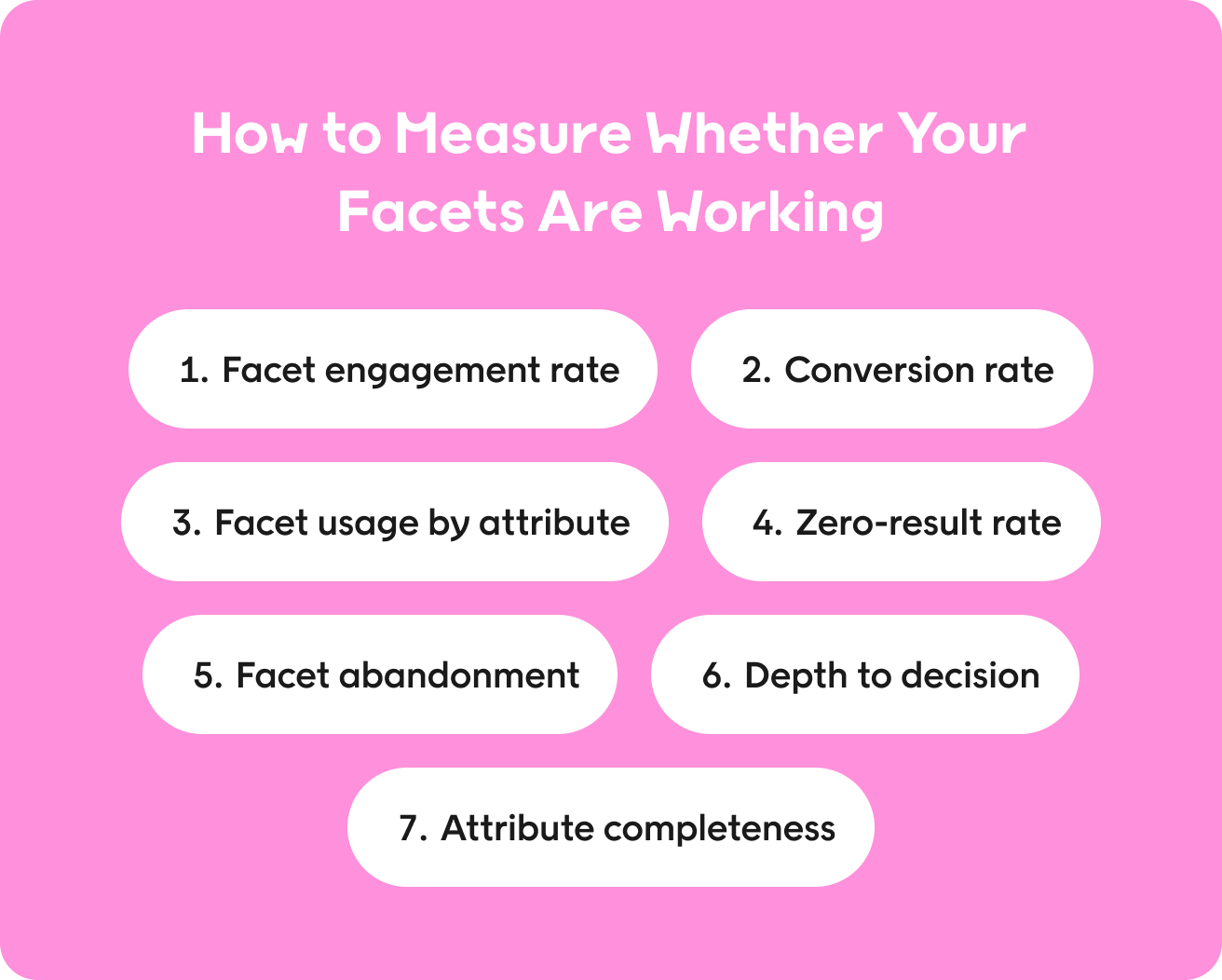
Usage data is a good starting point, but other metrics can indicate whether faceted search helps customers find products and make decisions.
- Facet engagement rate: The share of listing-page sessions where a shopper applies at least one facet. This shows how often shoppers use facets to narrow the results.
- Conversion rate for sessions using faceted search: Compare sessions where shoppers use facets with those where they don’t. This gives you a clearer view of how faceted search fits into the buying journey.
- Facet usage by attribute: Track which facets shoppers use most. Popular facets may deserve a more prominent position, while ones users consistently ignore may not need to appear at all.
- Zero-result rate: Measure how often a combination of facets leaves the shopper with no products. This should stay close to zero and can help you find problems with facet logic or product data.
- Facet abandonment: Track sessions where shoppers apply one or more facets and then leave without clicking a product. A high rate may point to irrelevant results or a frustrating path to narrowing them down.
- Depth to decision: Measure how many facet interactions happen before a shopper clicks a product. This can help you understand whether shoppers find what they need quickly or have to keep refining the results.
- Attribute completeness by category: Track how consistently the product attributes behind your facets are populated. Missing or inconsistent product data limits which facets you can offer and how well they work.
You don’t need to track every metric at once. Start with the ones that help you answer the questions you have about your current search experience, then use what you learn to improve how shoppers narrow results.
How faceted search and conversational search work together
According to our research, 95% of retailers are experimenting with Al, and one area where AI is changing the shopping experience is search. Natural-language search and facets give shoppers two ways to narrow down products. Someone might type a specific query like “waterproof knee-length coat under €250” or arrive at the same search results by choosing facets for waterproofing, length, and price.
The strongest approach combines the two. A conversational search can turn what a shopper says into product attributes and facets, then show those choices on the results page as editable options.
This gives shoppers a quick way to describe what they want while keeping the facets available for adjusting the search results. If they later decide they can spend €300, for example, they can change the price facet without starting a new search.
How Voyado handles faceted search
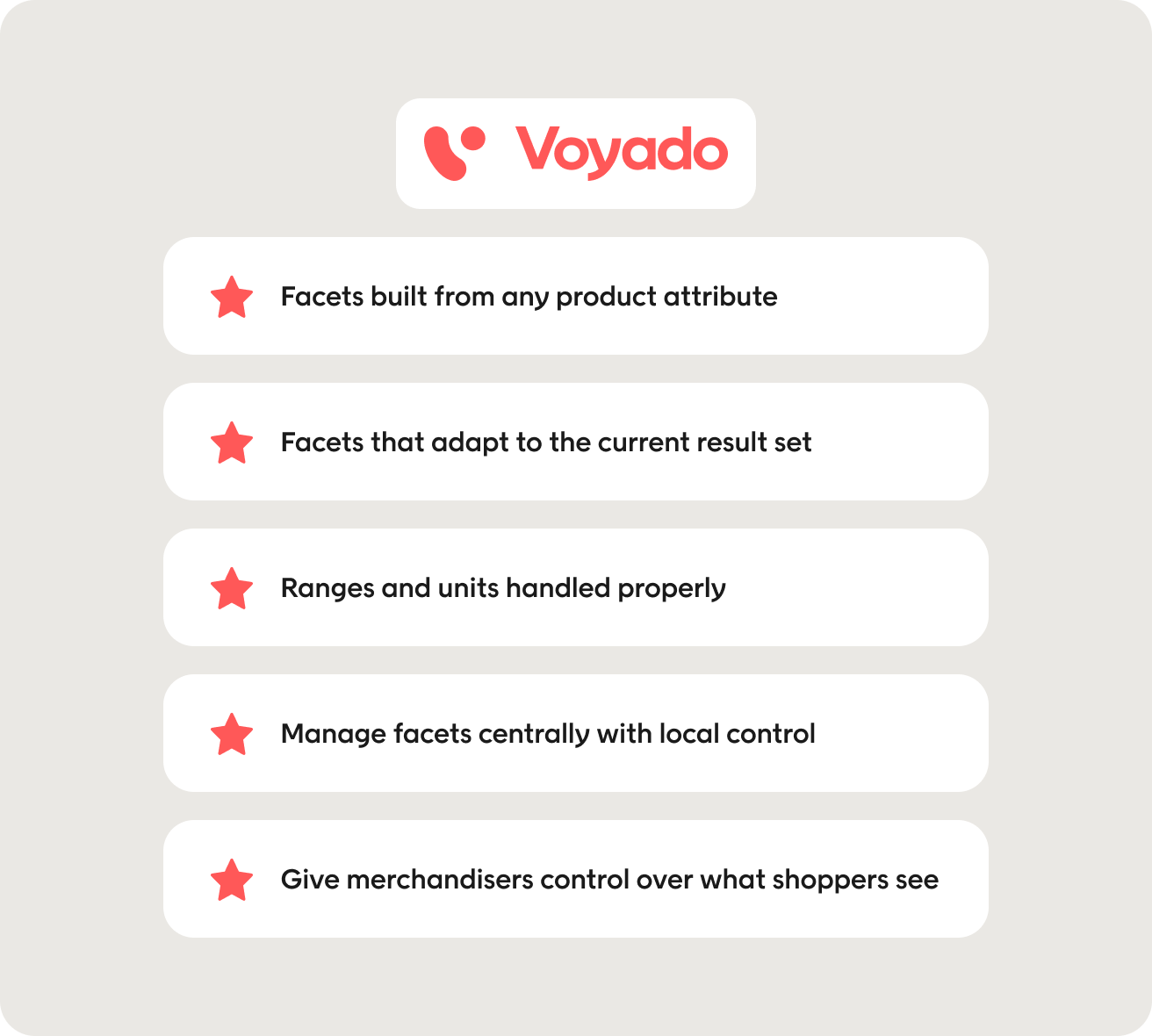
Faceted search is one part of Voyado’s Product Discovery Engine, which also covers AI search and on-site merchandising. Here’s how it makes faceted search easier to manage and more useful for shoppers.
Facets built from any product attribute
In Voyado, facets are the filter options shown on product listing and search results pages. You can build them from any product attribute in your feed, including standard fields such as size, color, and price, as well as custom attributes that support your own product data.
If an attribute is available in your feed, you can use it to filter results. The more complete and consistent your product data, the more useful your faceted search can be.
“We knew there was huge potential in improving search and recommendations, but the results with Voyado have exceeded our expectations. It’s transformed how our customers discover products, and how our team thinks about optimization.”
Gemma Cockshott, Ecommerce Manager at Pour Moi
Facets that adapt to the current result set
Voyado uses dynamic facets that update as shoppers narrow the results. This keeps the available options relevant to the products that match their current search query or selected facets.
Shoppers can apply multiple facets and continue refining the results without having to work through a fixed list of filtering options.
Ranges and units handled properly
Range facets handle product attributes such as dimensions, capacity, and price. Voyado also positions values correctly when a product catalog uses mixed units.
For example, one meter ranks above 50 centimeters, which ranks above three inches. Elevate also converts units automatically in site search, so a table listed as 75 cm can appear when someone searches for “75 cm,” “0.75 m,” or “750 mm.” This is especially useful for home and furniture retailers, where product data can use different units across the catalog.
Manage facets centrally with local control
Voyado’s facet configurator gives you one place to manage how facets appear. You can set the display type, sort order, and units, then apply those settings across your markets.
You can also set different defaults for individual markets or make changes for specific pages when needed. This helps multi-market retailers keep their faceted search consistent while still adapting it to local needs.
Give merchandisers control over what shoppers see
Merchandisers can manage facets alongside Voyado’s e-commerce merchandising tools, including boosting, burying, pinning, product sets, and slices. This gives them more control over which relevant products appear as shoppers filter results.
Book a demo to see how Voyado Elevate uses your product data to create dynamic facets that help shoppers narrow down the results.
Final thoughts
Faceted search is easy to leave untouched once it’s up and running. Reviewing how shoppers use your facets can show where the site search experience needs attention and where the product data behind it may be causing problems.
Unused facets, dead ends, and out-of-stock products that appear in results are good places to start, as these can have the biggest impact.
From there, keep an eye on the product data. Facets can only use the attributes you provide, so complete and consistent product data gives you more useful ways to help shoppers narrow the results.
FAQs
What is faceted search in e-commerce?
In e-commerce, faceted search lets shoppers narrow search results using multiple filters based on product attributes, such as size, color, brand, or price. The available filtering options then update as the result set changes. You may also see it referred to as faceted navigation or faceted browsing.
What is the difference between faceted search and filtering?
Traditional filters remove products that don’t match a selected criterion. Faceted search goes further by updating the available options based on the current search results. This lets shoppers combine multiple facets while keeping the remaining options relevant to what is still available.
How many facets should an e-commerce site show?
There’s no fixed number. Start with the facets that make sense across your site, such as price or brand, then add the ones shoppers need for each category. Usage data can show you which facets people use and which ones you can remove. A category like beauty, where shoppers often have more product details to narrow down, will naturally need more facets than a simple one.
What are faceted search best practices?
Good practices for faceted search include showing relevant facets, keeping result counts accurate, and preventing users from selecting combinations that return no results. Your faceted search facets also depend on consistent product data, so the attributes behind them need regular attention.
Does faceted navigation hurt SEO?
Faceted navigation can cause SEO problems when different facet combinations create large numbers of URLs with similar or duplicate content. Decide which category pages or facet combinations should appear in search engines, then set up parameter handling or canonical tags for the rest.
Why do my filters return no results?
This can happen when the available filters don’t update as shoppers narrow the results. It can also happen when product data says a product comes in a certain size or color, even though that specific variant is out of stock. Update the available filtering options based on the current result set and include variant-level stock data.
How does Voyado handle facets?
Voyado Elevate lets you build search facets from product attributes in your feed and adapts the available options to the current search results. It also supports range facets across mixed units and provides automatic unit conversion. You can manage facets centrally while setting different defaults and overrides for individual markets or pages.