Join 500+ retail leaders at Love Generation 2026. Reserve your spot→

April update – Stay ahead of your data, and act on it faster

From insight to action, faster. This month brings predictive intelligence to your dashboard, sharper A/B testing with revenue impact, and a cleaner way to manage your catalog imports. Less time digging, more time deciding. Built to keep you ahead of your data, not catching up to it.

30 April 2026

predictive-insights

Predictive insights and suggested actions – right on your dashboard

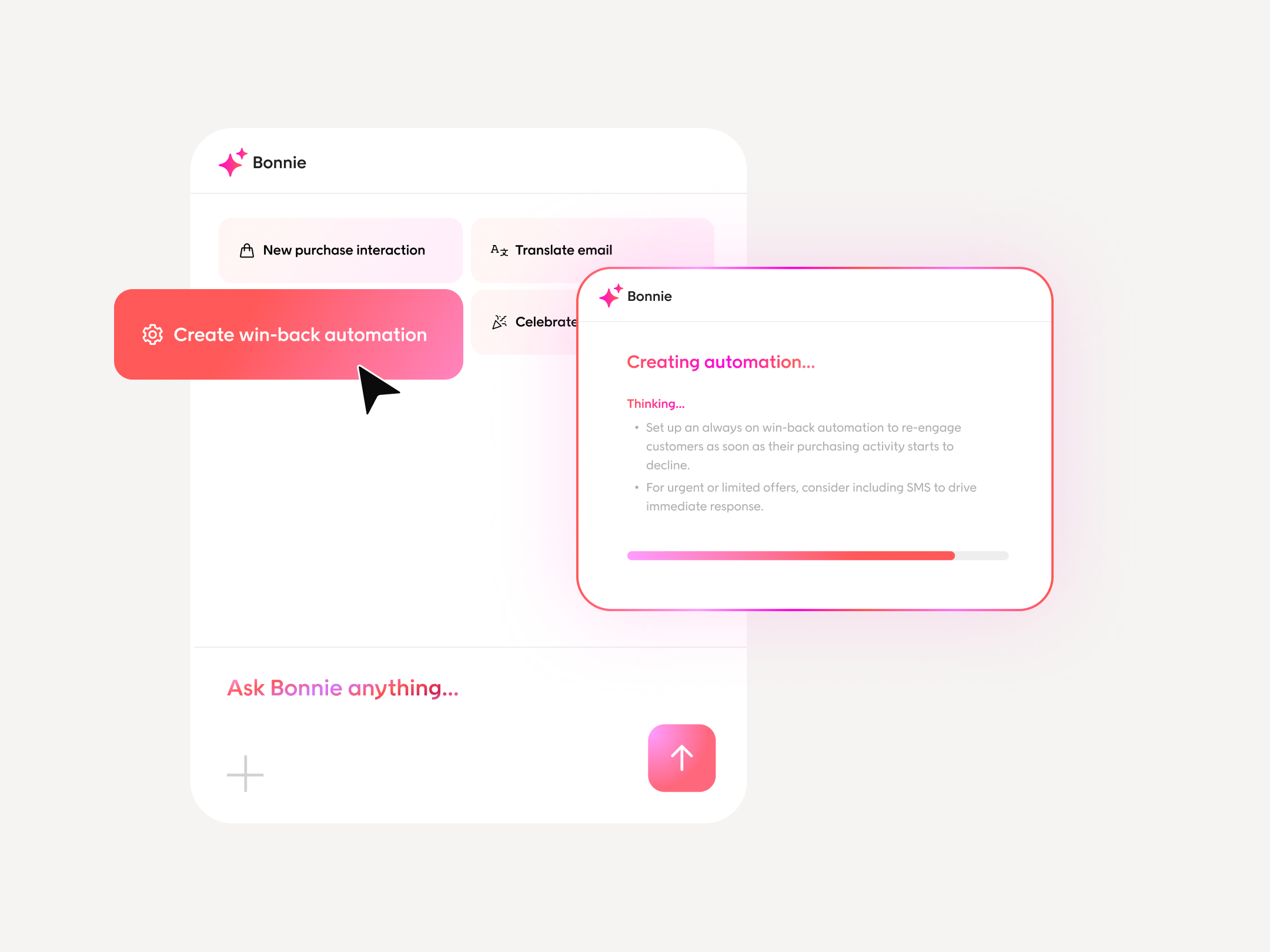
Bonnie just got smarter. We’re bringing predictive, data-driven decision-making directly into your workflow. No extra tools, no extra steps.

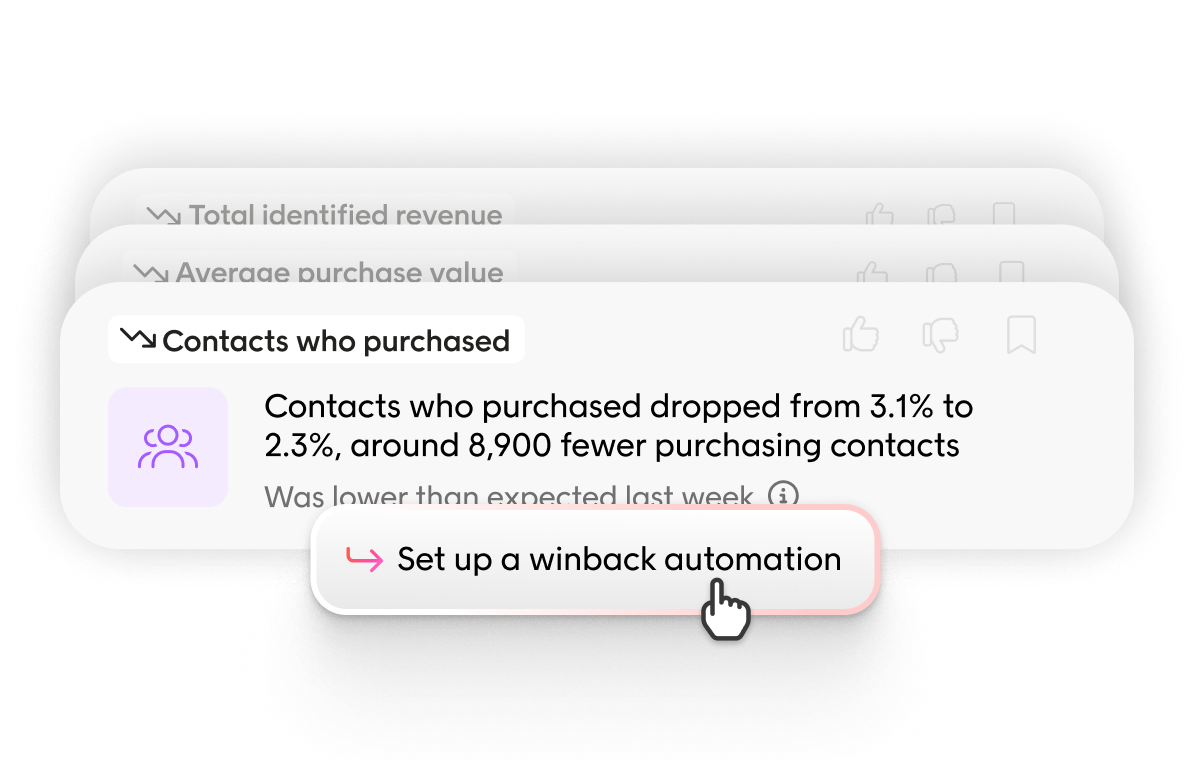
Bonnie now monitors your key KPIs around the clock, compares actual performance against expected benchmarks, and surfaces anomalies the moment they emerge with a clear recommended next step. Think of her as a always-on marketer on your team, one who never misses a shift in your data.

That means catching things early: a drop in contacts who purchased, a decline in average order value, a dip in identified revenue, rising unsubscribe rates, changes in opt-in/opt-out behavior, or delivery rate drops across campaigns and automations. You see it before it compounds.

What makes this different is how it closes the loop between KPI’s and action. Predictive insights feed directly into Bonnie’s agentic workflow — taking you from flagged insight, to suggested action, to execution in a single seamless experience. No copy-pasting, no switching tools or tabs.

The result: faster decisions, tighter control, and a performance edge that compounds over time.
Read more about predictive insights here 📎

Improved A/B testing and revenue impact overview

We’re continuing to invest in making it easier for you to run, test, and improve your email campaigns, focusing on the everyday use cases that drive real results.

This month, we’ve strengthened how you work with A/B testing and performance. You can now clearly see when a send-out includes an A/B test, and with revenue attribution added to the performance view, it’s easier to understand which variant actually drives business impact.

We’ve also expanded reporting, with support for clicked links and open rate insights, so you can better understand how your content performs and continuously optimize it. And to make your workflow smoother, you can now jump directly to segments from the performance view, and access both where you create and set up your send-outs, as well as performance insights, directly within automations.

Find and fix import issues, without searching through logs

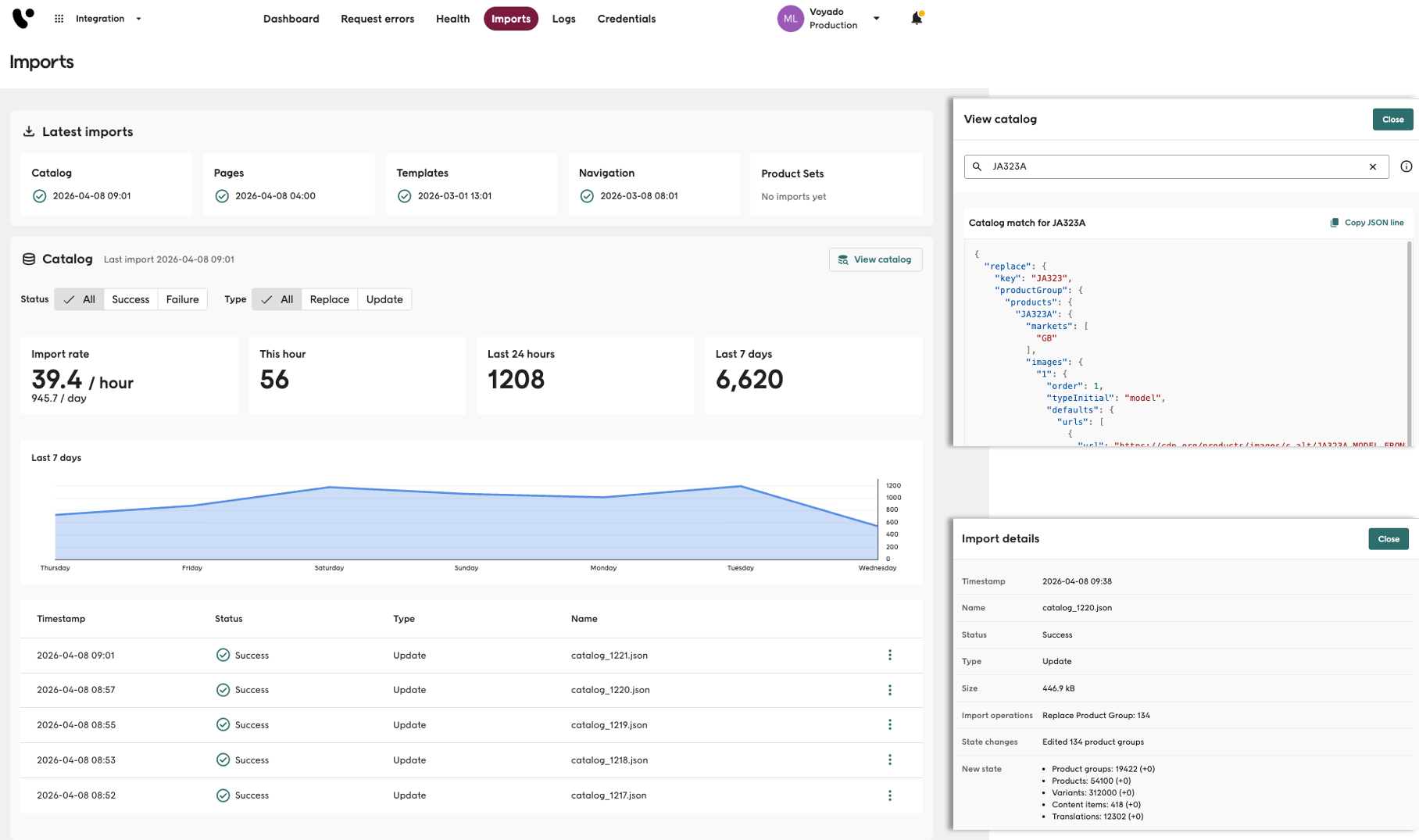
The new import health view gives integrators a structured overview of catalog imports into Elevate, all in one place. Instead of digging through logs, you can now easily access import rates, statuses, and failure details directly in the interface.

Available under Integration > Imports, the view provides import rate statistics across the last hour, day, and 7 days, along with filters for successful and failed imports, and by import type (replace or update). You can also download detailed information for individual imports, including failure reasons, and search your catalog to inspect the exact state Elevate holds for any entity.

This makes it easier to spot and investigate import issues, understand import frequency and scope over time, and verify the current state of your catalog, without needing to rely on log files or separate data exports.

(Requires Admin v4 or higher.)

More product updates